
- Starting price
- Free, then around $3.99/mo Premium
- Free tier
- Yes
- Platforms
- iOS · Android
- Developer
- Verses
- Launched
- 2023
- Updated
- May 24, 2026
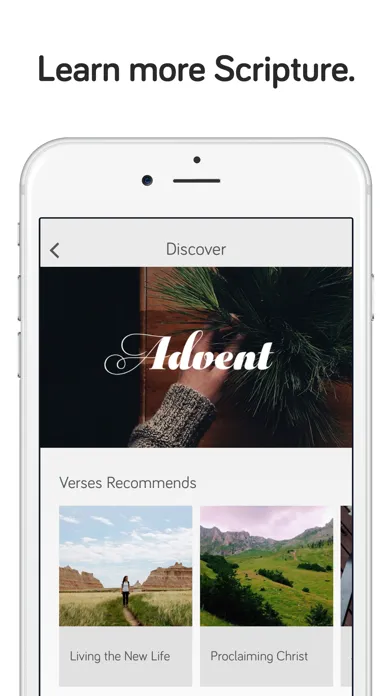
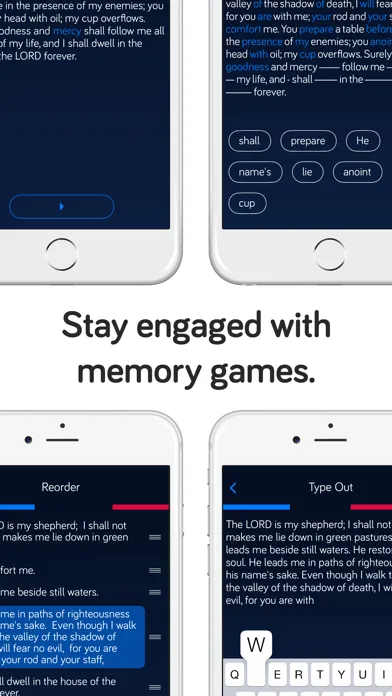
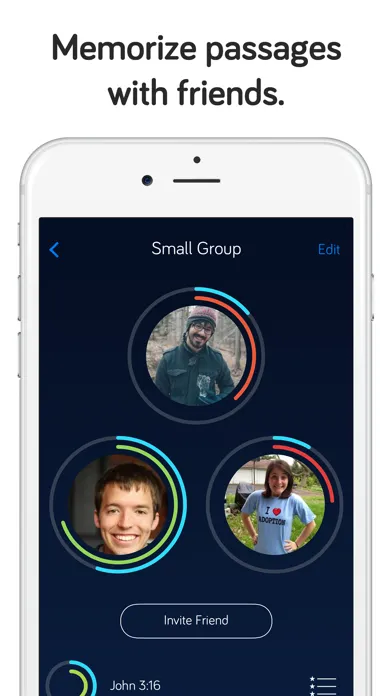
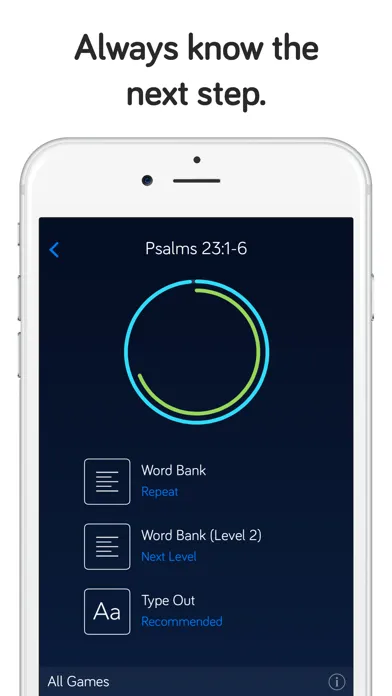
Publisher screenshots from the App Store. These images are separate from our own testing.
The verdict
Verses is the thoughtful person’s Scripture memorization app - cleaner, prettier, and friendlier than the older heavyweights, with a real differentiator in AI-suggested verses and share-ready card design. Its library and depth do not yet match The Bible Memory App, formerly Scripture Typer, but the core loop is genuinely pleasant.
Try Verses ↗Opens verses-app.com
Verses has quietly become the favorite of a particular kind of user - the person who wants to memorize Scripture, tried The Bible Memory App once or twice, and bounced off the older interface. It is the memorization app that looks like it belongs on your home screen in 2026, sitting comfortably next to Calm, Notion, and Things. That sounds like a small thing. In practice it is most of the reason people stick with it.
The product itself is built on the same foundation as the rest of the category: spaced repetition, daily review, verse-by-verse drilling. It doesn’t reinvent the science. It doesn’t replace the discipline. It doesn’t pretend that AI will memorize verses for you. What it does is wrap the proven mechanics in a visual flashcard system, a daily-verse mode that feels like Duolingo for Scripture, and an AI assistant that suggests verses for whatever you are actually wrestling with that week.
The trade-off is real. Verses is younger than The Bible Memory App and still building features the veteran product already ships - leaderboards, deep stats, family accounts and premium translation access. If you are a power memorizer who has been using flashcards for ten years, you will probably hit the ceiling. If you are a normal person who has tried and failed to memorize Scripture three times and would like the fourth attempt to actually stick, Verses is the most likely path to success in the category right now.
✓ The good
- Best-in-class visual design - the only memorization app that looks designed rather than engineered, and that genuinely matters for daily-habit retention
- AI-suggested verses by topic - type "anxiety" or "patience with my kids" and get a curated, vetted set of passages to start memorizing immediately
- Shareable verse cards - every memorized passage exports as a beautifully typeset image card you can post to Instagram, send in a text, or save as a phone wallpaper
- Daily-verse mode - the single-tap streak loop that pulls you in for two minutes, the way YouVersion’s verse of the day does for reading
- Spaced-repetition engine is sound - the underlying review math is the standard SM-2-style algorithm the category relies on, just wrapped better
- Genuinely cross-translation - verses memorized in one translation can be re-drilled in another without rebuilding the deck
- Free tier is actually usable - you get the core loop, daily verse, and a meaningful starter library without hitting a paywall on day two
✗ Watch out
- Smaller user base than Bible Memory App - fewer community decks, fewer shared plans (yet)
- No web version - iOS and Android only, which rules out memorizing at a laptop during work breaks
- Translation library is narrower than older competitors - major English translations are there, but specialty translations (NET, LSB, some Catholic editions) are missing or partial
- Original-language tools are absent - no Strong’s lookups, no Greek/Hebrew underlay even in Premium (yet)
- Stats and progress dashboards are intentionally minimal - power users who like The Bible Memory App’s history and heat maps will feel under-served
- Premium price creep - around $3.99/mo is reasonable, but the annual plan and family pricing are still being figured out
Best for
- New memorizers who have bounced off older apps
- Visual learners who want beautiful flashcards
- People memorizing by topic or life-season (anxiety, grief, parenting, gratitude)
- Anyone who wants share-ready verse imagery for social or text
Avoid if
- You memorize on a laptop and need a web app
- You want original-language tools alongside memorization
- You are a power user who lives in deep stats and leaderboards
- You need a translation that lives outside the mainstream English list
What Verses is
Verses is a mobile Scripture memorization app - iOS and Android - that combines spaced-repetition flashcards, a daily-verse habit loop, and an AI assistant that suggests passages based on a topic or life situation you type in. It is freemium, with a meaningful free tier and a Premium plan at around $3.99/mo (roughly $29.99/yr) that unlocks unlimited decks, the full library, the AI suggester, and the card-sharing designer.
Mechanically, it sits in the same category as The Bible Memory App and Remember Me - proven Scripture-memorization systems that have served power users for years. Verses’ bet is not that it has a fundamentally different engine. The bet is that older apps left the door open on modern UX, and that a category built around daily-habit retention is exactly where design quality compounds into actual Scripture memorized.
Why design-conscious memorizers prefer Verses
The single biggest practical difference between Verses and the rest of the memorization category is that Verses feels like it belongs in 2026. Older products such as The Bible Memory App and Remember Me do the job well, but their interfaces carry more history. That is fine for users who already love the workflow. It is fatal for users who downloaded an app, opened it once, felt a small wave of visual discouragement, and never came back.
Verses is built around the assumption that the hardest part of Scripture memorization is not the typing or the recall - it is opening the app on day 14, when the early novelty has worn off and the streak is the only thing pulling you in. Every design decision in Verses leans toward that moment: large readable typography, calm color palettes, friction-free daily prompts, share-ready outputs that turn finished work into something visible to the rest of your life. The math under the hood is unremarkable. The thing on top of the math is where the daily wins live.
Modern visual UX: the differentiator vs. older memorization apps
Open Verses next to Bible Memory App on the same phone and the difference reads in the first three seconds. Verses uses large, breathable typography, generous whitespace, a soft color system, and card-based layouts that match what users now expect from any consumer app worth their daily attention. Flashcards animate cleanly between front and back. Review sessions present one verse at a time with clear progress indicators. Onboarding is two screens, not seven. There is no chrome, no dense menu, no settings screen that looks like a 2012 forum.
This sounds like a small thing. In practice it is transformative - because the limiting factor in memorization is not the algorithm, it is whether the user opens the app on the days they don’t feel like it. Every design choice in Verses is optimized for that marginal day. The older heavyweights have richer feature sets, but they ask the user to push through interface friction every session. Verses removes the friction. Over a 90-day stretch, the cumulative effect is more verses memorized - not because the algorithm is better, but because more reps happened.
AI-suggested verses by topic: the genuinely new feature in the category
You type "anxiety" or "patience with my kids" or "I lost my dad last month" into the prompt and Verses returns a curated set of passages - usually four to eight - appropriate to that topic, with a one-line note on why each verse fits. You can tap any of them to add to a new deck and start memorizing immediately. The suggestions lean toward well-known passages first (Philippians 4:6-7 for anxiety, Lamentations 3 for grief) and pull in less-obvious supporting verses behind them, which is the right ordering - start with what you’ve probably already heard, then go deeper.
This is the feature most likely to convert someone who has tried memorization apps before and not stuck. The hardest cold-start problem in this category has always been "what should I memorize next?" - older apps solve it with pre-built plans (good but generic) or by leaving the user to assemble decks themselves (effortful and intimidating). Verses’ topic prompt is the model that respects your work: you bring the life situation, the app brings the curated passages, you start memorizing within a minute. The suggestions are vetted enough to avoid the typical AI failure mode of confidently inventing or misattributing verses, which matters more in this category than almost any other.
Shareable verse cards: turning memorization into something visible
Every verse you memorize in the app can be exported as a beautifully typeset image card - clean serif typography, subtle background, the reference and translation discreetly placed. You can choose from a small set of themed backgrounds in the free tier and the full designer in Premium, and the export sizes are tuned for Instagram square, Instagram Story, phone wallpaper, and a generic shareable image you can drop into a text message. The output looks like something a small Christian print shop would charge for, not like a screenshot of a flashcard.
The reason this matters is not vanity - it is that Scripture memorization is largely a private discipline, and private disciplines are the easiest to abandon. A share-ready card creates a small, low-stakes way to mark a passage as memorized and let it touch the rest of your life. Some users post the card. Some send it to a friend who is in the same season. Some make the card their phone wallpaper for the week so the verse keeps surfacing. None of these are required. But the existence of the artifact - a finished thing at the end of the work - gives the habit a payoff that older memorization apps simply do not produce.
Pricing
Free
$0
Core memorization loop, daily verse, starter library, spaced-repetition review, basic visual cards. Enough to test whether the app sticks with you.
Premium (Monthly)
around $3.99/mo
Unlimited verses and decks, all translations the app supports, AI verse suggestions by topic, full shareable card designer, themed card backgrounds.
Premium (Annual)
around $29.99/yr
Same as monthly Premium at roughly a 35% discount - the path most committed users land on after the first month.
Pricing on Verses is straightforward. The free tier gives you the core memorization loop, daily verse, starter library, and spaced-repetition review - enough to actually test whether the app sticks for two or three weeks before you decide.
Premium runs around $3.99/mo or about $29.99/yr (as of writing) and unlocks unlimited decks, the full translation set the app supports, the AI verse suggester, the full card-sharing designer, and themed backgrounds. The annual plan is the obvious value for anyone who has gotten past the first month - the monthly is best treated as a trial.
Most users do not need anything beyond Premium. There is no enterprise tier, no church bulk plan (yet), and no separate one-time-purchase mode. That keeps the choice simple, which fits the rest of the product.
Compared to Dwell ($59.99/yr) or Hallow ($69.99/yr), Verses is roughly half the price for a much narrower job - fair, because it does that narrower job better than either of them.
Where Verses falls behind
No web version. Verses is iOS and Android only, which rules out memorizing at a laptop during work breaks or lunch - something The Bible Memory App serves through BibleMemory.com. For a category where reps add up across small windows of dead time, this is a real gap.
Smaller user base than the established players. Bible Memory App has years of community decks, shared plans, and family-and-church verse lists that simply do not exist yet in Verses. If your church runs a verse-of-the-month program built around an existing platform, Verses is unlikely to be where that lives this year.
No original-language tools. Power users who want to drill Greek or Hebrew alongside English - or who use memorization as part of a broader study workflow - will not find Strong’s lookups, lexical helps, or interlinear underlay in Verses. That is a deliberate scoping choice, not an oversight, but it is a hard ceiling for a particular kind of user.
Translation library is narrower than the older apps. Mainstream English translations are present, but specialty editions (NET, LSB, some Catholic translations) and many non-English translations are missing or partial. If you memorize in NASB 2020 or the CSB you are fine. If you memorize in NET or RSV-CE you should verify before subscribing.
Stats and progress dashboards are intentionally minimal. The Bible Memory App offers heat maps, history and rankings that Verses users will not find here. Verses shows you the next review, the streak, and the deck - and that is mostly it. That simplicity is the product, but it is also the limit.
Verses vs. Bible Memory App vs. Remember Me
Different strengths. Verses is the modern, design-led, AI-assisted entrant. Bible Memory App is the established workhorse with the deepest community library, the largest translation set, and the broadest church-program adoption. Remember Me is the lightweight, opinionated middle option - simpler than Bible Memory App, less visually polished than Verses, with a loyal user base that has stuck with it for years.
If you have never stuck with a memorization app before and are starting fresh, start with Verses. The visual quality and the AI topic suggester will get you past the first two weeks, which is where most people quit. If you are already comfortable with flashcards, want the deepest community decks and the broadest translation set, and do not particularly care that the interface is dated, stay with Bible Memory App - it is more capable and free in most of the places it counts. If you want something in between - simpler than Bible Memory App, more focused than Verses, with a long track record - Remember Me is the dependable middle.
A fair summary: Verses is better at retention through design. Bible Memory App is broader (translations, decks, church integration, history). Remember Me is the steady third option that splits the difference. None of the three are wrong choices. The question is which of them you will actually open on day 14.
The bottom line
Verses is the most thoughtful new entrant the Scripture memorization category has seen in years - modern UX, AI-suggested verses by topic, share-ready card design, and a free tier that lets you genuinely test it. It is not as broad or analytics-deep as The Bible Memory App, and it has no web version. But for the user who has tried and quit memorization apps before, Verses is the most likely path to actually finishing a deck. Start free, give it two weeks, and the annual Premium is an easy yes if it sticks.
Alternatives to Verses
 Bible Memory AppThe established category leader - deepest community library, broadest translation set, and the strongest church-program adoption. Less polished, more capable.
 Remember MeThe dependable middle option - simpler than Bible Memory App, more focused than Verses, with a long-running loyal user base.
 Bible Memory GoalA goal-oriented memorization tracker - lighter on flashcards, heavier on the long-arc commitment of memorizing a whole book over months.
 VersleThe game-first alternative: daily reference guessing, Scripture Blitz, crosswords and friend competition rather than a formal memory deck.
Frequently asked questions
Is Verses worth paying for, or is the free tier enough?
For the first two to three weeks, the free tier is genuinely enough - you get the core loop, the daily verse, and a starter library. Most committed users land on the annual Premium (around $29.99/yr) once they realize the AI verse suggester and the full card designer are doing real work for them. The monthly plan exists mainly as a trial.
How does Verses compare to Bible Memory App?
Bible Memory App is more capable - deeper translation set, larger community library of shared decks, broader church-program adoption. Verses is better designed and easier to stick with. If you have already succeeded at memorization apps, Bible Memory App is probably the better fit. If you have tried and quit before, start with Verses.
Does Verses use real spaced repetition or just timed reminders?
Real spaced repetition. The underlying review schedule is in the same broad family of recall scheduling used by Anki and other mature memory tools. The wrapper around it is more modern, but the principle is the same: weaker material returns sooner.
Can the AI verse suggester get verses wrong or invent passages?
The suggester is constrained to a vetted set of curated passages - it is not a free-form LLM pulling verses out of a hat. That keeps it inside known-good Scripture and avoids the typical AI failure mode of confidently inventing or misattributing verses, which matters more in this category than almost any other.
Is there a web version of Verses?
Not at the time of writing - Verses is iOS and Android only. If memorizing at a laptop is important to you, The Bible Memory App - formerly Scripture Typer - has a synchronized web app at BibleMemory.com.
Which translations does Verses support?
The mainstream English translations are all there (KJV, NIV, ESV, NASB, CSB, NLT, and a handful of others). Specialty editions (NET, LSB, some Catholic translations) and many non-English translations are missing or partial. Check the official site before subscribing if you memorize in a less-common translation.
Can I share verse cards without paying for Premium?
Yes - basic card sharing is in the free tier, with a small set of themed backgrounds. Premium unlocks the full card designer, the larger background library, and the higher-resolution export sizes.
Sources & further reading
More Scripture Memorization Apps
 MemoryVersesMemoryVerses combines serious spaced Scripture practice with daily games, groups and church-wide verses—and now gives every feature away, making privacy and child-safe community design its biggest unfinished work.VersleWordle-style daily discovery has grown into the most polished collection of short Bible games on iPhone and Android—but the strongest replay value now sits behind Premium and daily limits.
 Fighter VersesThe Scripture-memory app built around a curated five-year plan - a carefully chosen passage a week, reinforced with songs and six different quiz modes until it sticks.
 VersifyA polished, genuinely free Bible memorization app - pick any verse, drill it through seven game modes across eight translations, and track your progress, with no ads, no subscription, and no in-app purchases.
 Verses: Melody of God’s WordA beautiful free catalog that sets Bible passages to memorable original music—but the app often withholds visible verse text and translation, while platform privacy labels sharply disagree.
 Wrinkly Bible MemoryA genuinely free, polished Scripture-memory app with varied practice and growing translation support—strong for self-directed learners, though its privacy and accessibility documentation lag the product.