
- Starting price
- Free
- Free tier
- Yes
- Platforms
- iOS · Android · Mac · Vision
- Developer
- Versify LLC
- Launched
- 2021
- Updated
- Jun 1, 2026
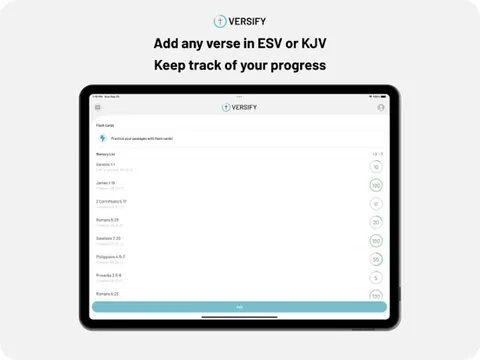
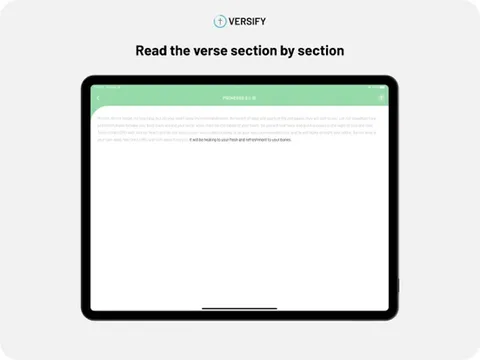
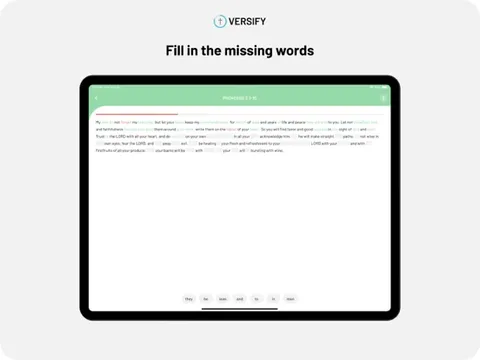
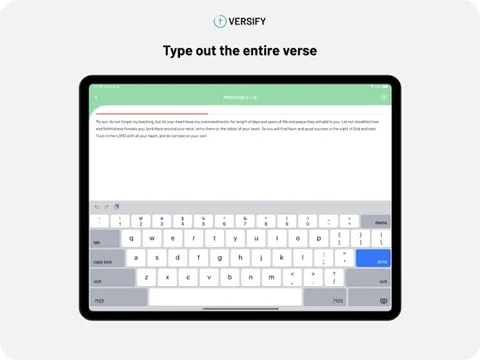
Publisher screenshots from the App Store. These images are separate from our own testing.
The verdict
One of the most generous apps in its category - a well-made Bible memory tool with varied game modes and eight translations that is completely free, with no ads and no upsell. If your goal is to actually hide Scripture in your heart, the variety of drills and the speech-recognition recitation make it stick, and the price is unbeatable.
Try Versify ↗Opens apps.apple.com
Versify is a Bible memorization app built around a simple conviction: memorizing Scripture should be engaging, not a chore. You pick the verses you want to learn, organize them into folders, and then drill them through a set of interactive game modes that approach the same passage from different angles - reading it, typing it, filling in blanks, reciting it aloud - so the words move from short-term recall into genuine long-term memory.
What makes it stand out immediately is how much it gives away. The app is completely free: no ads, no subscription, and no in-app purchases. That is unusual in a category where most polished tools charge, and it is a deliberate choice by the developers - a sibling duo who built it as a passion project after a hackathon - rather than a stripped-down freemium teaser. Everything the app does is available to everyone.
On top of that generosity it is genuinely well-made. It supports eight translations (including ESV, NIV, NASB, NLT, CSB, and KJV), offers seven distinct game modes to keep practice from getting stale, uses speech recognition so you can recite a verse out loud and get instant feedback, and tracks your progress with completion indicators and flaggable flashcards for the verses that keep tripping you up. For anyone serious about Scripture memory, it is an easy app to recommend.
✓ The good
- Completely free - no ads, no subscription, no in-app purchases
- Seven game modes (read, type, fill-in-the-blank, free type, speak, listen, flash) keep drilling varied
- Eight translations including ESV, NIV, NASB, NLT, CSB, BSB, LSV, and KJV
- Speech recognition lets you recite a verse aloud and get instant feedback
- Organize verses into custom folders and flag the flashcards that keep tripping you up
- Cross-platform - iOS, Android, Mac (Apple Silicon), and Apple Vision
✗ Watch out
- Single-purpose - it memorizes verses and does little else (no reading, study, or devotionals)
- You build your own verse list rather than getting a large pre-made curriculum
- No community or accountability features to memorize alongside others
- As an indie passion project, support and update cadence depend on a small team
- Speech recognition accuracy can vary with accent, noise, and longer passages
Best for
- Anyone who genuinely wants to memorize Scripture and will practice regularly
- People who learn better through varied, game-like drills than flat flashcards
- Readers who want to recite verses aloud and get feedback, not just read them
- Anyone who wants a quality memory app without ads or a subscription
Avoid if
- You want a full Bible reader or study tools (this only does memorization)
- You want a large guided memory curriculum rather than building your own list (consider Fighter Verses)
- You want community or group accountability while you memorize
- You prefer a long, established track record over a newer indie app
What Versify is
Versify is a dedicated Bible memorization app from Versify LLC - a sibling developer duo who started it as a hackathon project. You choose verses to learn, group them into custom folders, and practice them through seven interactive modes that drill the same passage in different ways: reading, typing, filling in missing words, free-typing from memory, speaking it aloud, listening, and flashcards. The variety is the method - hitting a verse from multiple angles is what moves it into durable memory.
It supports eight Bible translations (ESV, NIV, NASB, NLT, CSB, BSB, LSV, and KJV), uses your device’s speech recognition so you can recite a passage and get instant feedback, and tracks your progress with completion indicators and the ability to flag tricky cards for extra attention. It runs on iOS, Android, Mac, and Apple Vision, and the whole thing is free - no ads, no subscription, no in-app purchases.
Why “completely free, no ads” actually matters here
Plenty of apps claim to be free and then wall off the useful parts behind a subscription or pepper you with ads. Versify does neither - every game mode, every translation, and every feature is available to everyone at no cost, with no advertising and nothing to buy. For a tool whose entire purpose is to build a daily spiritual discipline, that absence of friction and upsell is not a minor detail; it removes every barrier between you and the habit you are trying to form, and it reflects the developers’ stated motive of building it as a ministry rather than a business.
The other differentiator is the breadth of practice modes. Memorization sticks through varied, active recall, and Versify’s seven modes are exactly that - the same verse read, typed, blanked, spoken, and flashed until it is genuinely yours. The speak mode in particular, which listens to you recite and checks your accuracy, pushes you past the comfortable illusion of recognition ("I know it when I see it") into real recall ("I can say it with the book closed"), which is where memory actually lives.
Seven game modes for real recall
The core of Versify is its set of practice modes: read, type, fill-in-the-blank, free type, speak, listen, and flash. Each attacks the same verse from a different cognitive angle - recognition, reconstruction, recitation - and the progression naturally moves you from passively reading a passage to actively producing it from memory. That variety is what keeps daily practice from going stale and, more importantly, what makes the verse stick.
It mirrors how good language-learning apps work, applied to Scripture. Instead of staring at a flashcard and telling yourself you know it, you are repeatedly forced to recall and produce the words under slightly different conditions, which is the proven path to durable memory. For someone who has tried and failed to memorize verses by re-reading them, the active drills are the difference-maker.
Recite aloud with speech recognition
The speak mode uses your device’s speech recognition to let you recite a verse out loud and get instant feedback on how accurately you said it. This is the feature that closes the gap between feeling like you know a verse and actually knowing it - saying it with the screen blank is a far harder, far more honest test than recognizing it on a card.
It also fits how people actually use memorized Scripture: you recall it aloud in prayer, in conversation, or to encourage someone, not by typing it. Practicing the way you will use it makes recall under real conditions more reliable. Accuracy can vary with accent, background noise, and very long passages, but for ordinary verses it is a genuinely effective drill.
Folders, flags, and eight translations
Versify lets you organize the verses you are learning into custom folders - by book, by theme, by a memory plan you are following - and search your list to find any passage. As you practice, completion indicators show your progress, and you can flag the flashcards that keep tripping you up so the app gives them extra attention. It is light but effective personal-management for a growing memory list.
Crucially, you can memorize in the translation you actually read. With eight versions available - ESV, NIV, NASB, NLT, CSB, BSB, LSV, and KJV - the words you commit to memory match the Bible you use elsewhere, which matters a great deal for memorization, where getting the exact wording right is the whole point. That breadth of translations, all free, is a quiet but real strength.
Pricing
Free
Free
Everything: all seven game modes, all eight translations, speech-recognition recitation, custom folders, flaggable flashcards, and progress tracking. No ads, no subscription, no in-app purchases - the entire app is free.
Versify is free in the fullest sense: there are no ads, no subscription, and no in-app purchases anywhere in the app. Every game mode, all eight translations, the speech-recognition recitation, the folders, the flagging, and the progress tracking are available to everyone at no cost. There is no premium tier holding back the good features, because there is no premium tier at all.
That is a deliberate choice by the developers, who built and maintain the app as a passion project rather than a commercial product. The practical upshot is that there is nothing to evaluate on price - the only real question is whether you will use it. As with any indie app, the trade is that ongoing support and update pace depend on a small team rather than a large company, but the value on offer for zero dollars is hard to overstate.
There are no school, church, family, or lifetime plans to compare because every user receives the same feature set. Organizations evaluating Versify should therefore focus on translation fit, device support, privacy, and whether its self-directed model gives learners enough structure.
Where Versify falls behind
It does one thing. Versify memorizes verses and nothing else - no reading, no study, no devotionals - so it is a companion to your Bible app, not a replacement for it.
You supply the curriculum. The app gives you the tools and translations, but you choose the verses; people who want a large, pre-built guided memory program may prefer something like Fighter Verses.
No community or accountability. There are no groups, leaderboards, or shared plans to memorize alongside others, which some people find motivating.
It is a newer indie app. Built by a small team as a passion project, its long-term support and update cadence are less certain than a big-company product’s.
Speech recognition has limits. Accuracy varies with accent, noise, and passage length, so the speak mode is excellent for ordinary verses but less reliable for long ones.
Versify vs. Fighter Verses vs. Bible Memory
All three are dedicated Scripture-memory apps, and the choice comes down to whether you want a curriculum, a method, or maximum generosity.
Fighter Verses is curriculum-first: it is built around a curated, year-spanning set of verses chosen to fight sin and feed faith, with devotional context for each. If you want someone to choose the verses and walk you through them, Fighter Verses provides the plan; Versify expects you to bring your own list.
Bible Memory (Bible Memory: Remember Me) is the established, feature-rich option with a large user base and its own review and accountability tools, though parts sit behind a subscription. If you want a long track record and group features, it is a strong pick; Versify counters with being entirely free and arguably more varied in its drills.
Versify’s edge is the combination of quality and price: varied, effective game modes, eight translations, speech-recognition recitation, and cross-platform support, all with no ads and nothing to buy. If you are happy to pick your own verses, it is the most generous well-made memory app available - and it pairs naturally with a curriculum app like Fighter Verses if you want both a plan and great drills.
The bottom line
Versify is a rare combination of genuinely free and genuinely good. It does one thing - help you memorize Scripture - but it does it well, with seven varied game modes, eight translations, speech-recognition recitation that tests real recall, and simple tools to organize and flag your verses, all with no ads, no subscription, and nothing to buy. Its limits are the flip side of its focus: you build your own verse list, there is no community, and it is a newer indie project. But if your aim is actually to hide God’s Word in your heart and you will put in the daily practice, Versify makes that as engaging and frictionless as any app out there, and it costs nothing. Pair it with your Bible app, and let it handle the memory work.
Alternatives to Versify
 Fighter VersesThe curriculum-first memory app - a curated, year-spanning set of verses with devotional context. Choose this if you want the plan made for you.
 Bible MemoryThe established, feature-rich memory app with a large user base, review tools, and accountability features (some behind a subscription).
 YouVersionThe free everything-Bible app - your reader, audio, and reading plans - to run alongside a dedicated memory tool.
 Remember MeA free, multilingual memorization app with a mature mobile workflow and broad translation support.
Frequently asked questions
Is Versify really free?
Yes, completely. There are no ads, no subscription, and no in-app purchases anywhere. All seven game modes, all eight translations, speech-recognition recitation, folders, flagging, and progress tracking are available to everyone at no cost. The developers built it as a passion project rather than a commercial product.
How does Versify help you memorize?
You pick verses, organize them into folders, and drill them through seven interactive modes - read, type, fill-in-the-blank, free type, speak, listen, and flash. Hitting the same verse from different angles, including reciting it aloud, moves it from recognition into durable recall.
Which Bible translations does Versify support?
Eight: ESV, NIV, NASB, NLT, CSB, BSB, LSV, and KJV. That lets you memorize in the same translation you read elsewhere, which matters for getting the exact wording right.
Does the speech recognition actually work?
The speak mode listens to you recite a verse and gives instant feedback on accuracy, which is an effective way to test real recall. Accuracy can vary with accent, background noise, and very long passages, but for ordinary verses it works well.
What platforms is Versify on?
It runs on iOS, Android, Mac (Apple Silicon), and Apple Vision, and it requires iOS 14 or later on iPhone and iPad.
Is Versify a Bible reader too?
No. It is a dedicated memorization app and does not include a full Bible reader, study tools, or devotionals. Most people use it alongside a Bible app like YouVersion, which handles reading while Versify handles the memory work. If you want a guided memory curriculum rather than building your own list, consider Fighter Verses.
Sources & further reading
More Scripture Memorization Apps
 MemoryVersesMemoryVerses combines serious spaced Scripture practice with daily games, groups and church-wide verses—and now gives every feature away, making privacy and child-safe community design its biggest unfinished work.
 VersleWordle-style daily discovery has grown into the most polished collection of short Bible games on iPhone and Android—but the strongest replay value now sits behind Premium and daily limits.
 VersesA newer entrant in the Scripture memorization category that bets everything on modern UX, AI-suggested verses, and shareable card design - the question is whether prettier wins.Fighter VersesThe Scripture-memory app built around a curated five-year plan - a carefully chosen passage a week, reinforced with songs and six different quiz modes until it sticks.
 Verses: Melody of God’s WordA beautiful free catalog that sets Bible passages to memorable original music—but the app often withholds visible verse text and translation, while platform privacy labels sharply disagree.
 Wrinkly Bible MemoryA genuinely free, polished Scripture-memory app with varied practice and growing translation support—strong for self-directed learners, though its privacy and accessibility documentation lag the product.