
- Starting price
- Free
- Free tier
- Yes
- Platforms
- iOS · Android · Web · Apple Watch · Wear OS
- Developer
- Life.Church
- Launched
- 2008
- Updated
- May 24, 2026
The verdict
YouVersion is the easiest Bible app to recommend to literally anyone - believer, seeker, child, grandparent, missionary, prisoner - and the rare freemium-shaped product that is genuinely, permanently, no-asterisk free. It is not the deepest study tool on the market, but for the 95% of readers who want to actually open a Bible today, nothing else is close.
Try YouVersion ↗Opens youversion.com
YouVersion has quietly become the way most of the world reads scripture. Launched in 2008 by Life.Church (an Oklahoma-based multisite congregation), the app crossed one billion installs in 2024 and is now available in 2,300+ languages - more than any other Bible product, paper or digital, in human history. For huge swaths of the global church, "the Bible" and "the Bible App" are the same noun.
It is free. It does not run ads. It does not sell your data. It does not gate the text behind a subscription. Life.Church funds the entire operation as a ministry, which is part of why YouVersion has been able to do things no commercial competitor would touch - like translating scripture into languages with fewer than ten thousand speakers, or shipping a children's app with original animation in 70+ languages, or letting any user create and publish a reading plan for free.
The trade-off is that YouVersion is not built for the seminary student or the verse-by-verse commentator. It is built for the everyday reader - the person who wants the verse of the day on their lock screen, a 21-day plan on grief, and a clean way to text a passage to a friend. Held against that goal, it is the best app of its kind, and it is not particularly close.
✓ The good
- Completely free, forever - no ads, no subscription, no premium tier holding back the text
- Unmatched translation library - 3,500+ versions across 2,300 languages, including dozens of public-domain English translations and major paid translations licensed at no cost to the reader
- Reading Plans are best-in-class - 10,000+ plans from publishers, ministries, and individual users, with friend-sharing and automatic catch-up days built in
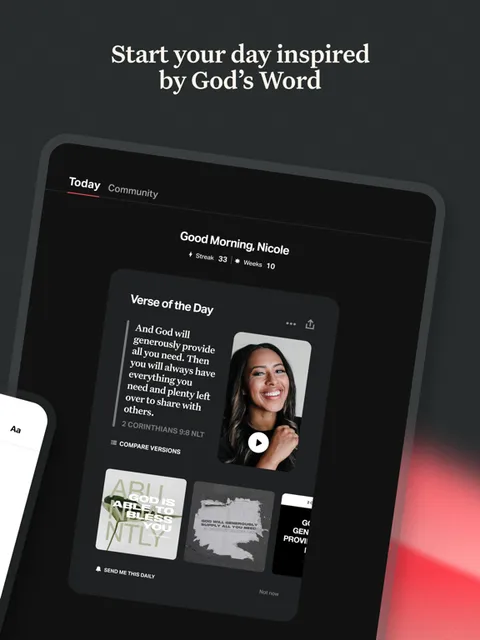
- Verse of the Day + streak system is unrivaled - the single most effective daily-Bible habit mechanic ever shipped, and the reason millions of people read scripture today who otherwise would not
- Bible App for Kids is a separate, beautiful, animated product - 41+ original stories in 70+ languages, completely free, with no ads aimed at children
- Cross-platform parity is real - iOS, Android, Web, Apple Watch, and Wear OS all stay in sync, and your highlights and bookmarks follow you everywhere
- Community features (Friends, Prayer, shared notes) make scripture a social object without making it a social-media object
✗ Watch out
- No first-party Greek or Hebrew interlinear (yet) - original-language work has to happen in Logos, Olive Tree, or Blue Letter Bible
- Offline mode is limited - most translations require a per-version download, and some licensed translations cannot be downloaded at all
- Audio Bibles are excellent but not uniformly available - many smaller translations have no audio, and download sizes can be large
- No deep commentary integration - you can read Matthew Henry in plan form, but there is no verse-by-verse commentary pane like Olive Tree or Logos
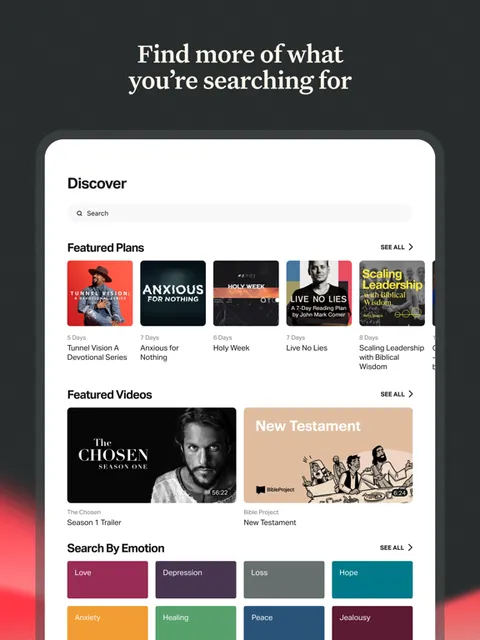
- Search is fine, not great - it indexes text well but offers nothing like Bible Gateway's topic browser or Logos's Factbook
- The home feed has gotten busier over the years - for purists, the surface area between you and the text is no longer zero
Best for
- Everyday readers building a daily Bible habit
- Parents wanting a safe, beautiful Bible product for kids
- Small groups and friends reading a plan together
- Missionaries and global readers who need non-English translations
Avoid if
- You do serious original-language exegesis
- You need a verse-by-verse commentary surface
- You read primarily offline in remote conditions
- You want a minimalist, single-translation reading app with no social layer
What YouVersion is
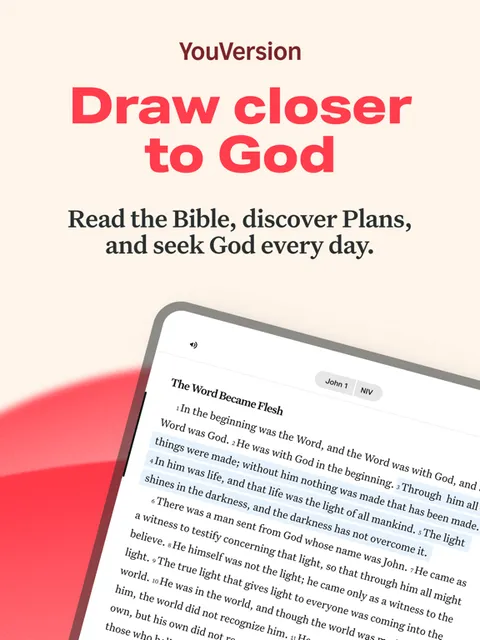
YouVersion - usually just called "the Bible App" - is a free scripture-reading platform built by Life.Church. At its core it is a Bible reader: pick a translation, read a chapter, highlight a verse, save a bookmark. Layered on top are the things that turned it into a global phenomenon: thousands of reading plans, a daily Verse of the Day with a streak counter, a Friends layer for shared reading, prayer requests you can post and pray for, and a separate Bible App for Kids aimed at the 3-8 crowd.
It runs on essentially everything - iPhone, iPad, Android phones and tablets, the web at bible.com, Apple Watch, Wear OS, and (via Bible Lens) your camera roll. All of it syncs through one free account. There is no premium tier. Life.Church carries the cost, and the entire product is given away.
Why everyday readers prefer YouVersion
The single biggest practical difference between YouVersion and every other Bible app is that YouVersion is not actually trying to be a Bible-study tool. It is trying to be a Bible-reading habit. That is a different product, and almost nobody else builds it well. Logos is built for the pastor preparing a sermon. Olive Tree is built for the careful student who wants commentaries at hand. Bible Gateway is built for the verse-lookup, copy-paste, send-to-a-friend use case. YouVersion is built for the person who wants to open scripture today, tomorrow, and the day after that, and to still be opening it a year from now.
Everything in the app is bent toward that goal. The streak. The plan. The friend nudge. The home screen verse. The push notification at the time you actually read. These mechanics get dismissed as gamification by people who do not use the app - and embraced as life-changing by people who do. The honest read is that for the 95% of Christians whose problem is consistency rather than depth, YouVersion solves the actual problem.
Reading Plans: the everyday-Christian killer feature
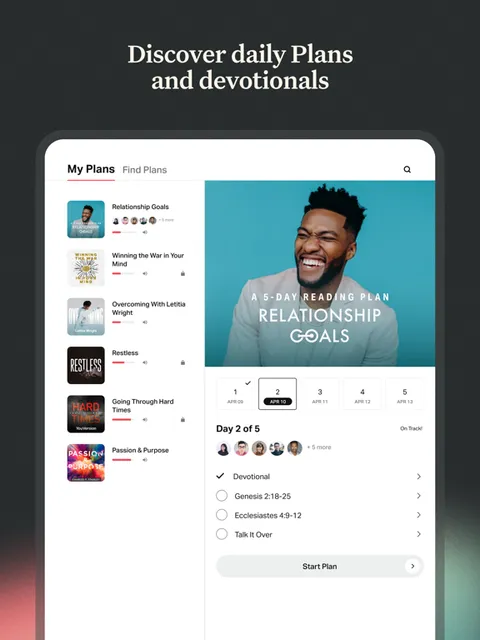
YouVersion hosts more than 10,000 reading plans, and any user can publish one. Plans range from one-day devotionals to year-long Bible-in-a-year tracks, and the catalog covers every imaginable angle: grief, anxiety, marriage, fasting, fatherhood, racial reconciliation, the Psalms with the Book of Common Prayer, the entire New Testament in 90 days. Major publishers (Lifeway, Crossway, Tyndale, Our Daily Bread), ministries (BibleProject, Proverbs 31, Cru, Hallow), and individual authors all distribute plans through the app for free.
The mechanics are the quiet genius. You can do any plan with up to 150 friends, comments and all, and the app reschedules gracefully when you miss a day - no scarlet-letter "0 of 365" punishment that drives people to quit on day six. Plans live alongside the Bible reader, so the day's passage opens in your preferred translation rather than locking you into the plan author's pick. For the everyday reader, this is the closest thing the Christian internet has produced to a true habit engine.
Verse of the Day + Streaks: the most effective Bible habit mechanic ever shipped
Every day, YouVersion picks a verse, displays it on the home screen, and lets you read it, listen to it, share it as an image, or add it to your saved verses. Read it before midnight and your streak ticks up by one. Miss a day and (this matters) you can use one of your streak savers to keep the run alive - a small mercy that has rescued countless habits from a missed Tuesday.
This sounds like a small thing. In practice it is transformative. The streak counter is the reason a non-trivial fraction of practicing Christians on earth now read scripture daily. Critics - usually people who already read their Bible daily - call it gamification. People whose habit was built on it call it the first time they ever read the Bible for thirty days in a row. Both can be true. The honest answer is that the streak works, it works on the population that needed it most, and no other Bible product has shipped anything that comes close.
Bible App for Kids: the best children's Bible product on any platform
A separate download (Bible App for Kids, or Bible App Experience for Kids in some regions), aimed at children roughly 3-8. It contains 41+ original animated stories drawn from Genesis through Acts, with interactive touch elements on every screen, voice narration, and gentle gamification (kids earn stars for completing stories, unlock new content, and can revisit favorites). It is available in 70+ languages, all free, and - critically - there are no ads and no in-app purchases anywhere in the product.
The art is original and warm rather than the stock-image children's-curriculum aesthetic, and the narration is theologically careful in a way that translates across traditions. Catholic, Protestant, Orthodox, and Latter-day Saint parents have all found it usable, which is rare for a kids' Bible product. For families with young kids and a Sunday-morning iPad problem, it is the closest thing to a safe default the App Store has produced.
Pricing
Bible App
Free
The full app - every translation, every plan, every feature, every platform. No ads, no subscription, no premium upsell. This is the only tier most users will ever see.
Bible App for Kids
Free
A separate download for children ages roughly 3-8. Animated, interactive, 41+ stories in 70+ languages. Also no ads, no in-app purchases, no upsells.
Bible Lens
Free
Companion app that pairs a photo from your camera roll with a relevant verse and a shareable graphic. Free, no upsell.
Donate to Life.Church
Optional
YouVersion is funded by Life.Church and donors. You can give at youversion.com/give if you want to keep the app free for the next reader. It is genuinely optional - nothing in the app is gated behind giving.
There is no pricing to recap. The Bible App is free. The Bible App for Kids is free. Bible Lens is free. All 3,500+ translations are free. All 10,000+ reading plans are free. Every platform is free. Every feature is free. There is no ad-supported tier, no premium tier, no "YouVersion+" subscription on the roadmap that the team has hinted at publicly.
How does this work? Life.Church - a large multisite church with healthy giving - funds YouVersion as a ministry, and accepts donations from users who want to chip in at youversion.com/give. Most users never give a cent and the app stays the same for them. This is the same economic model as Wikipedia, and like Wikipedia it produces something a for-profit company would never have built.
The one real cost to be aware of is storage. Audio Bibles in particular can be hundreds of megabytes per translation, and if you download offline copies of a dozen versions plus their audio, you can easily put two or three gigabytes of YouVersion on your phone. For most users this is fine. For users with 64GB devices and a lot of photos, it is worth being deliberate about which translations you keep offline.
Most users do not need to think about any of this. Install the app, pick a translation, start a plan, and you will never see a paywall.
Where YouVersion falls behind
No first-party Greek or Hebrew interlinear. If you want to look at the underlying language of a verse - to see which Greek word is rendered "love" in 1 Corinthians 13, for instance - YouVersion will not help you. You will have to leave the app for Logos, Olive Tree, Blue Letter Bible, or Bible Hub. For the average reader this is a non-issue. For the seminary student, the preacher, or the careful word-study person, it is a structural limitation.
No deep commentary integration. YouVersion can serve you Matthew Henry or a contemporary devotional as a reading plan, but it does not give you a verse-by-verse commentary pane. Olive Tree builds its entire premium business around exactly this - buy a commentary IAP, tap a verse, see the commentary entry - and Logos goes even deeper. YouVersion has chosen not to compete here, which is the right call for its audience but a real gap for serious study.
Limited offline behavior. Most translations download on demand for offline use, and that works well in airplane mode for the version you have downloaded. But some licensed translations cannot be downloaded at all (you must be online to read them), and audio Bibles often have separate, large downloads that are easy to miss. If your primary use case is reading on a remote trip with no signal, plan the downloads ahead of time and consider a backup like Olive Tree or a print Bible.
The home feed has slowly turned into a feed. Early YouVersion opened directly to the Bible. Modern YouVersion opens to a home screen with Verse of the Day, plan recommendations, friend activity, prayer requests, and Stories-style content. None of it is bad, but the surface area between you and Genesis 1 has grown over the years. Power users tend to set a custom default screen or just hit the Bible icon immediately.
Search is functional, not powerful. You can search words and phrases across translations and it works fine. But you will not find the topic-browse depth of Bible Gateway, the Factbook-style entity exploration of Logos, or the cross-reference density of Blue Letter Bible. For finding a half-remembered verse it is more than enough. For doing topical research, it is the wrong tool.
YouVersion vs. Bible Gateway vs. Olive Tree
These three apps cover most of the non-academic Bible-app market between them, and they are genuinely different products aimed at genuinely different users. Picking between them is mostly a question of what you are actually trying to do.
Different strengths. YouVersion is better at daily reading - the plans, the streak, the friend layer, and the kids product are all best-in-class, and the translation library is unmatched. Bible Gateway is broader at lookup and topical research (its topic browser and audio Bible library are excellent), and its web experience at biblegateway.com is the verse-lookup gold standard. Olive Tree is better at study - it is the only one of the three with serious commentary integration, original-language tools, and a real desktop client, and it is the natural step up from YouVersion if you want to grow into deeper study without jumping all the way to Logos.
The honest recommendation for most readers is to install YouVersion first and use it as your daily app, keep Bible Gateway bookmarked in your browser for lookups, and consider Olive Tree (or eventually Logos) only if and when you start doing real study work. Nothing about these three is mutually exclusive - they are all free or freemium and they all sync via their own accounts, so running two or three of them is normal and costs nothing.
The bottom line
YouVersion is the easiest Bible app on the planet to recommend, and it has earned that position by being exactly what it is - a free, permanent, beautifully built scripture-reading habit for the everyday Christian. It is not the right choice for serious original-language study, and the offline behavior has real edges. But for the 95% of readers whose actual problem is consistency, not depth, nothing else comes close. Install it, start a plan with a friend, and let the streak do the rest of the work. Real gaps, but they are worth knowing about going in rather than dealbreakers.
Alternatives to YouVersion
 Bible Gateway AppThe verse-lookup and topical-research king. Web experience is unmatched; mobile app is solid. Free with an optional Bible Gateway Plus subscription for commentaries.
 Olive TreeThe natural step up from YouVersion for readers who want commentaries, original-language tools, and a real desktop client. Free app, paid IAP for serious study resources.
 Logos Bible SoftwareThe serious study platform - original languages, Factbook, sermon builder, and the deepest digital library in Christian publishing. Paid, and worth it if you preach or teach.
 Scroll The BibleThe habit-change alternative: an iPhone-only infinite Scripture feed that is easier to begin, with optional AI study tools that require verification.
 CBN BibleA smaller completely free reader with NLT and NASB audio, 365 devotions, plans, notes, and an integrated Prayer Wall.
Frequently asked questions
Is YouVersion really completely free?
Yes - every translation, every plan, every feature, on every platform, with no ads and no subscription. Life.Church funds it as a ministry and accepts optional donations at youversion.com/give, but nothing in the app is gated behind paying.
Which translations does YouVersion include?
Over 3,500 versions in 2,300+ languages, including most major English translations (NIV, ESV, KJV, NKJV, NLT, CSB, NASB, AMP, NRSVue, MSG, and dozens more) and a vast catalog of non-English Bibles. A handful of premium English translations have read-only or online-only restrictions, but the catalog is the largest available in any single app.
Can I use YouVersion offline?
Yes for most translations - you download a per-version file once and then read offline. Some licensed translations require an internet connection, and audio Bibles are separate downloads that can be large. If offline use matters, download what you need ahead of time and verify it works in airplane mode.
How does the streak work?
Read or listen to a verse (or complete a plan day) before midnight in your local time and your streak goes up by one. Miss a day and you can use a streak saver to preserve the run. Streaks reset on missed days without savers, but you can restart at any time and the app does not punish you for it.
Is the Bible App for Kids safe for young children?
It is one of the safest scripture-adjacent kids products on the App Store - no ads, no in-app purchases, no third-party content, and no chat or social features. The 41+ original animated stories cover Genesis through Acts in 70+ languages, with theology kept careful enough to work for Catholic, Protestant, Orthodox, and Latter-day Saint families.
Does YouVersion work for serious Bible study?
It works for reading, plans, and basic note-taking, but it is not built for verse-by-verse commentary work, original-language exegesis, or topical research at depth. For serious study, pair it with Olive Tree, Blue Letter Bible, Bible Hub, or Logos.
Is YouVersion tied to a specific denomination?
Life.Church (the developer) is a non-denominational evangelical church, but the app itself is broadly used across traditions - Catholic, Protestant, Orthodox, and Latter-day Saint readers all use it daily, and the translation library and plan catalog reflect that breadth. The core Bible-reader experience is intentionally tradition-neutral.
Sources & further reading
More Bible Reading Apps
 Concise BibleConcise Bible arranges selected Scripture passages, introductions, images and audio into a short path through the biblical story in sixteen app languages—a generous free introduction that should lead into the whole Bible, not be mistaken for it.
 SoapBox Super AppSoapBox combines a multilingual Bible, original-language helps, prayer, journaling, sermons, church management, giving, community and ORA AI in one fast-moving platform—but that breadth also concentrates unusually sensitive spiritual and organizational data.
 Sword of the SpiritSword of the Spirit turns Bible reading into an indie role-playing campaign with armor, virtues, enemies, quests and comprehension battles—an imaginative free experiment whose early-access reliability and data documentation still need work.
 FJN – Find Jesus NowFind Jesus Now packages a Bible reader, notes, audio, AI explanations, testimonies, sermons and studies around an evangelism mission—but much of the experience is a live web service with unresolved ad and privacy contradictions.
 BibleShelfBibleShelf replaces deadline-heavy plans with a gentler book-by-book tracker, synchronized web access, an ESV reader and simple memory verses—but it is still a young, English-only tool with little study guidance.
 Bible Speed ReadA focused RSVP reader that can make a familiar chapter feel newly immediate, with thoughtful pacing controls and offline support—but only NIV and ESV are currently confirmed, and speed is not the same as understanding.