
- Starting price
- Free, then $9.99/mo (Logos Pro)
- Free tier
- Yes
- Platforms
- Mac · Windows · iOS · Android · Web
- Developer
- Faithlife
- Launched
- 1992
- Updated
- May 24, 2026
The verdict
Logos is the deepest Bible study software on the market, and the gap is not small. The cost is real - both money and learning curve - but for anyone whose job involves producing sermons, lessons, or serious commentary, nothing else comes close.
Try Logos Bible Software ↗Opens logos.com
Logos Bible Software has quietly become the favorite of pastors, seminary students, and lay teachers who have outgrown their app store Bible - which, eventually, most serious readers do. What started in 1992 as a Windows library tool has grown into a cross-platform research environment with thousands of integrated resources, original-language layers, AI search, and a sermon writing surface that competes with Microsoft Word for how much time a working pastor spends inside it.
It is not a reading app. It does not gamify your streak. It does not push you a verse of the day. It is closer in spirit to a research workstation - the kind of tool a graduate student would recognize - than it is to YouVersion or Bible Gateway. That difference is the entire point.
This review covers the free tier, the Logos Pro subscription, the tiered library packages (Starter through Gold and beyond), the three features that justify the price for most working users, and where Logos still loses ground to lighter, friendlier alternatives. If you only ever want to read a chapter on your phone, you should not be reading this review. If you are about to teach Romans, or preach through Mark, or write a Sunday school curriculum from scratch - read on.
✓ The good
- Best-in-class original-language tools - interlinear, morphology, lemma search, and reverse interlinear all wired into every passage
- Factbook is the single best biblical encyclopedia interface on the market - a tap or click on any name, place, or theme pulls a structured dossier from your whole library
- Sermon Builder is a genuinely useful writing surface - slides, handouts, manuscript, and citations all stay linked to scripture and resources
- Cross-platform parity is excellent - your library and notes sync between Mac, Windows, iOS, Android, and the web app
- Library scales with you - buy a Starter package now, add a single commentary set in five years, and Logos still treats it as one searchable corpus
- AI Search (Smart Search and Logos Pro features) lets you ask natural-language questions and get answers grounded in your own library - not the open internet
- Resources are real - you are buying actual published commentaries, dictionaries, lexicons, and journals from real publishers, not crowd-sourced summaries
✗ Watch out
- Sticker shock is real - full-fledged library packages run from a few hundred dollars to well over $5,000
- Learning curve is steep - the interface rewards investment but punishes casual visitors
- Logos Pro subscription overlaps confusingly with one-time library purchases - you can end up paying twice for the same capability
- Desktop apps are heavy - startup time and memory footprint are noticeable on older Macs and PCs
- Mobile and web apps are powerful but still feel like companions to the desktop - not standalone replacements (yet)
- Some classic reference works are locked into higher-tier packages, which can push the price of a single must-have resource much higher than its standalone cost
Best for
- Pastors writing weekly sermons
- Seminary students working in Greek and Hebrew
- Sunday school teachers building multi-week curricula
- Lay students who want a library that grows with them
Avoid if
- You only read on your phone
- Free apps already meet every need
- A subscription plus library cost is a hard no
- You want a devotional, not a workstation
What Logos Bible Software is
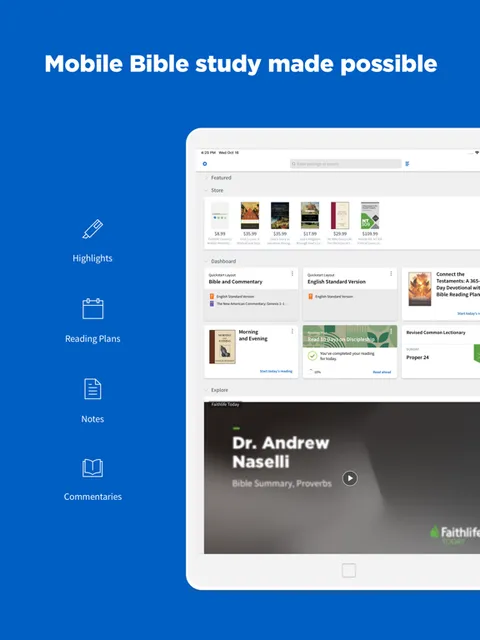
Logos Bible Software is a cross-platform Bible research environment built by Faithlife. At its core, it is a reader, a library, and a search engine - but the reader is annotated with original-language data on every verse, the library is a real collection of licensed reference works rather than a bundle of public-domain texts, and the search engine understands both English keywords and Hebrew and Greek lemmas.
You buy in two dimensions. One axis is the library - tiered packages of resources you own forever, sized from a few hundred dollars to several thousand. The other axis is Logos Pro, a monthly subscription that unlocks the platform's smartest features, including AI search, Sermon Builder enhancements, and the dynamic data layers that make a verse "smart" rather than just text. You can use one without the other. Most serious users end up with both.
Why serious students prefer Logos
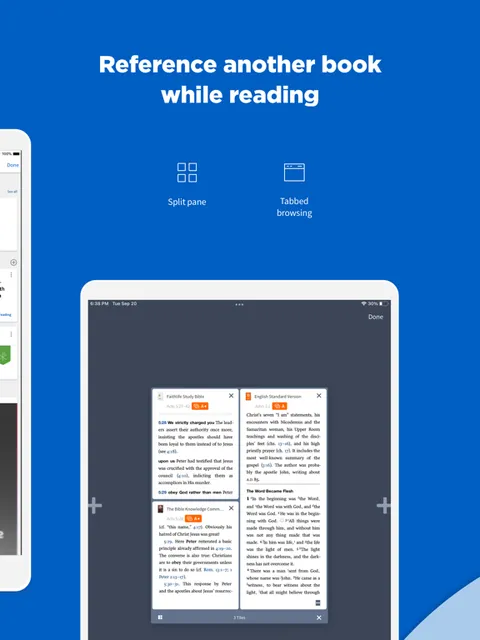
The single biggest practical difference between Logos and a free app like YouVersion or Blue Letter Bible is that Logos treats your library as a living dataset, not a shelf of static books. Highlight a verse in Romans and you can pivot to every commentary you own on that verse, every cross-reference in the canon, the underlying Greek with morphological tags, every sermon you have written that quotes it, and every dictionary entry on every named entity in the passage - all in two or three clicks.
That is the workflow that justifies the price. Anyone whose job involves producing sermons, Bible studies, or written teaching knows what it costs to assemble that information by hand from Logos's lighter competitors - switching tabs, copying citations, losing your place. Logos collapses that work into a single window. For working pastors and serious students, it is the software that respects your work.
Factbook: the encyclopedia interface that finally works
Factbook is Logos's answer to the question "what is this thing, in scripture and in scholarship?" Type a name - Melchizedek, Pisidian Antioch, the seventy weeks - and Factbook pulls a structured dossier from across your entire library. You get a definition, every scripture reference, every dictionary article you own on the topic, related people and places, media (maps, photos, ancient art), timeline placement, and links to deeper commentary. Tap a person and you see their relationships. Tap a place and you get the map. Tap a theme and you get the doctrinal cross-section.
This sounds like a small thing. In practice it is transformative. The hours pastors used to spend Googling background, then cross-checking what they found against a study Bible, then rebuilding citations by hand - those hours collapse into a single panel. Factbook is the feature most users underestimate on the demo and lean on hardest after a year of use. It is the thoughtful person's biblical encyclopedia.
Original-language tools: interlinear, morphology, and reverse interlinear
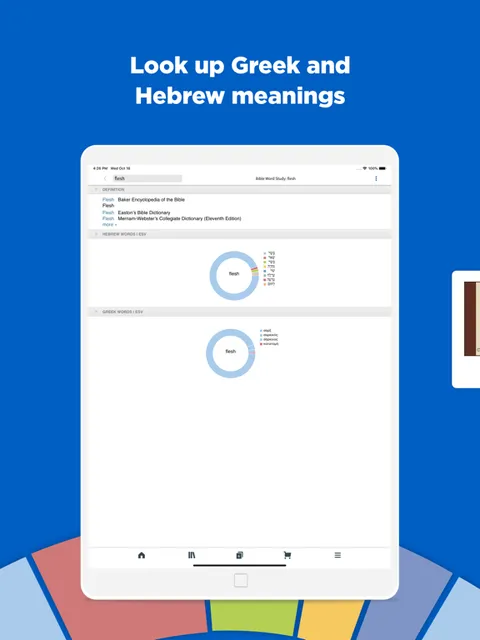
Every passage in Logos can be opened with a reverse interlinear that maps your English translation back to the underlying Hebrew or Greek word-for-word, with morphological tags (parsing data - tense, mood, gender, number) on every term. Click any word and you get the lemma, the gloss, the Strong's number, the Louw-Nida domain, every other occurrence of that word in the canon, and a lexicon entry from whatever lexicons your library includes. From the same panel you can run a lemma-level search - "show me every place this exact verb appears in the New Testament" - without typing a single Greek character.
You do not need a seminary degree to benefit. You need to be the kind of reader who wants to know whether "love" in 1 Corinthians 13 is the same word as "love" in John 3:16 (it is, mostly - agapē), and whether the differences in nuance between agapaō and phileō in John 21 actually matter (they probably do, and the lexicons in your library will tell you the live scholarly debate). For anyone teaching from the text, this is the floor of what good study software should provide. Logos is still the best at it.
Sermon Builder: the writing surface a working pastor actually uses
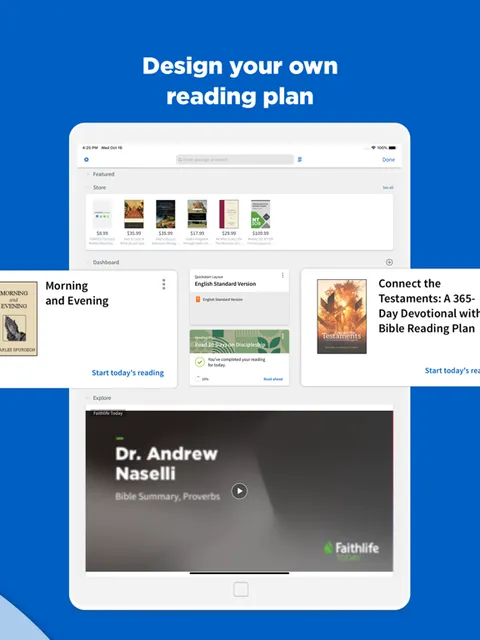
Sermon Builder is Logos's sermon-writing environment. You start with a passage, build an outline, and write your manuscript in a Word-style editor - but every scripture reference auto-formats with whatever translation you specify, every citation links back to its source in your library, and the slides for your projection screen, the handout for your congregation, and the speaker notes for your monitor all generate from the same document. Sermon Manager (in Logos Pro) tracks every sermon you have ever preached and surfaces them when you return to the same passage years later.
The slides and handouts are not toys. The slide engine is closer to a stripped-down Keynote than to a Word add-on, with templates, theme management, and dynamic verse insertion. Sermon Builder is the feature that turns Logos from "a library I open Saturday night" into "the workspace I open every weekday morning." For a working pastor producing 45 sermons a year, it is the killer feature.
Pricing
Free
$0
The free Logos account gives you the Logos app on every platform, a small starter library of public-domain texts, basic search, the Bible reader, and the free tier of Factbook. Enough to see whether you like the environment before paying anything.
Logos Pro
From $9.99/mo
The subscription tier. Unlocks Smart Search, AI-powered Sermon Builder features, advanced Factbook, dynamic preaching themes, Workflows, Sermon Manager, and the full datasets layer. The single most cost-effective way to access Logos for most users.
Starter Library
Around $294 one-time
The entry library package. Adds a curated set of commentaries, a study Bible or two, a basic lexicon set, and the core Bible study datasets. The smallest "real" library tier.
Bronze / Silver
Around $629-$1,549 one-time
Mid-tier libraries with substantially more commentary depth, expanded original-language tools, and broader theological reference works. The range most working pastors land in.
Gold and above
$2,899+ one-time
Gold, Platinum, Diamond, and beyond. Full academic and pastoral libraries with technical commentary sets, journal archives, and the deepest original-language apparatus. Most users do not need this tier.
Logos pricing is a two-axis decision, and most newcomers find it more confusing than it needs to be. Axis one is the library - a one-time purchase of a tiered package (Starter, Bronze, Silver, Gold, and up) of actual licensed resources. Axis two is Logos Pro - a monthly subscription that unlocks the platform's smartest software features (AI search, advanced Sermon Builder, datasets, Workflows).
Most users do not need a Gold-tier library. Starter at around $294 plus a Logos Pro subscription at $9.99 a month covers an enormous range of real-world pastoral and study needs, and Faithlife runs frequent sales and dynamic pricing that can knock 30-50% off a library package in any given month. If you are not sure where to start, start there and add resources individually as you find you need them.
The opposite mistake is also common. Buying a Gold or Platinum library out of the gate, then never installing Logos Pro, leaves you with a magnificent shelf of books and none of the dynamic features that make Logos feel like Logos. Both axes matter. Many pastors find the subscription is the more important of the two purchases.
A note on dynamic pricing: Logos credits prior purchases against higher-tier libraries, so upgrading from Starter to Silver later costs roughly the difference, not the sticker price. This is good news for hesitant buyers - the upgrade path is real, and you will not be punished for starting small.
Where Logos Bible Software falls behind
Mobile-first reading. The iOS and Android apps are powerful - full library access, search, Factbook, original languages - but they still feel like field offices for the desktop. If your primary reading happens on a phone in five-minute windows, YouVersion and Olive Tree are friendlier daily companions.
Casual onboarding. The first hour in Logos is intimidating in a way the first hour in Blue Letter Bible or Bible Hub never is. Faithlife knows this and has invested heavily in tutorials, but the fact remains: Logos is a tool you learn, not a tool you intuit. Users who expect an app store-tier learning curve will bounce.
Free-tier ceiling. The free Logos account is real and useful, but the experience is deliberately limited compared to entirely-free competitors like Blue Letter Bible or Bible Hub, which give you most of their best features at no cost. If you will never pay anything, you will be happier somewhere else.
Subscription overlap. Logos Pro features and one-time library features overlap in places that are not always obvious from the marketing. A Silver library buyer who also subscribes to Logos Pro will occasionally discover that two features they paid for are doing the same job. The pricing model would benefit from a clearer split.
Speed. Logos has gotten dramatically faster over the last few release cycles, but a fully loaded Gold library on an older laptop still takes longer to launch than any of its lighter competitors. If a snappy app is a hard requirement, calibrate expectations.
Logos vs. Accordance vs. Olive Tree
Different strengths. Logos is the broadest and deepest of the three - biggest library catalog, best Factbook, most ambitious AI tooling, most integrated sermon workflow. It is the default choice for anyone whose primary use case is original-language study, sermon prep, or research.
Accordance is the long-standing favorite of Mac-first scholars and academics. It is faster than Logos on equivalent hardware, has an arguably superior original-language search engine, and a more cleanly designed interface. Its library catalog is smaller than Logos's and its sermon-writing tools are less developed, but for a working biblical-studies academic on a Mac, many users still consider it the better tool.
Olive Tree is the lightest of the three - a free mobile-first reader with paid commentary and study-Bible in-app purchases. It is the best of the trio for daily reading on a phone, and the cheapest entry point for anyone who wants a few commentaries without committing to a software ecosystem. It is not trying to be Logos, and that restraint is part of its appeal.
A rough rule: if you are preaching weekly or studying in the original languages, Logos. If you are doing academic biblical-studies work on a Mac, Accordance is worth a serious look. If you mostly want to read, with the option to drop $30 on a commentary, Olive Tree.
The bottom line
Logos Bible Software is not the right choice for everyone, and Faithlife has never pretended otherwise. The price is real, the learning curve is real, and the free tier is deliberately limited. But for pastors writing weekly sermons, seminary students working in Greek and Hebrew, and lay teachers building lessons that need to be right, nothing else on the market does what Logos does as well. Start with Logos Pro and a Starter library, learn the Factbook and original-language tools first, and let the library grow as your needs grow. These are real gaps, but they are worth knowing about going in rather than dealbreakers.
Alternatives to Logos Bible Software
 Olive TreeThe mobile-first alternative - free reader with paid commentary in-app purchases. The friendliest way to dip into serious study without buying a software ecosystem.
 Blue Letter BibleFree Greek and Hebrew tools, concordance, and commentary integration. The best free option for original-language work, and the closest thing to Logos's interlinear at $0.
 Bible HubFree parallel translations, lexicons, and cross-references on the web. Lighter than Logos by design, and useful as a free companion even for Logos users.
 YouVersionThe everyday Bible app for daily reading and reading plans. Not a research tool, but the right tool if your phone is where you read most.
Frequently asked questions
Is Logos worth the cost for a layperson?
For a casual reader, no - YouVersion or Blue Letter Bible will cover most needs at no cost. For a Sunday school teacher, small-group leader, or anyone preparing teaching material regularly, the answer flips. Logos Pro at around $9.99 a month plus a Starter library is a manageable entry point that delivers most of the platform's real value.
Do I need Logos Pro if I buy a library package?
You can use Logos without Logos Pro, but you will miss many of the platform's smartest features - Smart Search, advanced Sermon Builder, Workflows, dynamic preaching themes, and the AI-powered features Faithlife rolls out on the subscription side. For most working users, Logos Pro is the more important purchase of the two.
How is Logos different from Accordance?
Logos has a larger library catalog, deeper sermon workflow, and more ambitious AI tooling. Accordance is faster on Mac, has a cleaner interface, and a strong original-language search engine. Academic biblical-studies users on Mac often prefer Accordance; pastors and broader-purpose students more often choose Logos.
Can I use Logos entirely on mobile?
You can, and many users do for reading and search. But the desktop app remains the best place to write sermons, run deep research, and manage a large library. Treat the mobile apps as excellent companions, not full replacements (yet).
What happens to my library if I cancel Logos Pro?
Resources you bought one-time stay yours forever - Logos library purchases are perpetual, not subscription-based. Cancelling Logos Pro turns off the subscription-only features (Smart Search, advanced Sermon Builder, datasets layer) but your books and notes remain accessible.
Does Logos handle Greek and Hebrew well even if I do not read them?
Yes - that is one of its core strengths. Reverse interlinears, lexicons, morphological tagging, and lemma search let you ask intelligent original-language questions without typing in Greek or Hebrew characters. You will learn more about the underlying text just by using the tools than most users learn in a year of formal study.
Are there sales worth waiting for?
Yes. Faithlife runs regular promotions on library packages and individual resources throughout the year, with the deepest discounts typically clustered around major releases, end of quarter, and end of year. If you are not in a hurry, watching for a sale on the library tier you want is a fair strategy. Logos Pro subscription pricing is more stable.
Sources & further reading
More Bible Study Software
 VerseLink BibleVerseLink Bible keeps Scripture, sermon notes, highlights and original-language helps entirely on your device with no account, tracking, ads or subscription—but local-first privacy makes manual backup your responsibility.
 Ezra Bible AppA serious free, open-source study workspace built around topical verse collections, notes and the SWORD module ecosystem, now spanning desktop and mobile—but resource licensing varies, sync depends on Dropbox, and its 2022 privacy template contradicts the current App Store disclosure.
 Rava: Discover God’s StoryA free, multilingual facilitator that lets almost anyone press play and guide a Discovery Bible Study with little preparation—excellent for reproducible group participation, but not a replacement for wise leadership, contextual interpretation or a modern privacy policy.
 ARMA CoursesARMA makes serious Bible and theology teaching approachable through short, energetic courses—valuable for guided learners, but narrower and less transparent than a seminary library.
 Storyverse InstituteStoryverse makes Bible, theology, soul care and ministry training approachable through 200+ videos, community and cohorts—but its age, collection and deletion disclosures conflict too sharply for informed enrollment.
 The Word One to OneA polished, completely free guide for reading John and Acts with a friend—excellent for a trusted conversation, but narrow in scope and incomplete on app privacy and safeguarding.