
- Starting price
- Free
- Free tier
- Yes
- Platforms
- iOS · Android · Web
- Developer
- Blue Letter Bible (501(c)(3) non-profit)
- Launched
- 1996 (web) · 2010 (mobile)
- Updated
- May 24, 2026
The verdict
The best free serious-study app on mobile, full stop. If you want Strong's, lexicons, parsing, and classical commentaries without paying anything, this is the gold standard - and it has been for a decade.
Try Blue Letter Bible ↗Opens blueletterbible.org
Blue Letter Bible has quietly become the favorite of pastors who don't want to lug a laptop into the pulpit, seminary students who can't afford Logos, and lay readers who finally want to know what a Hebrew word actually means without trusting a random blog. It is the closest thing to a free, mobile-first study suite that exists, and the team has been quietly improving it for thirty years out of a small office funded by donations.
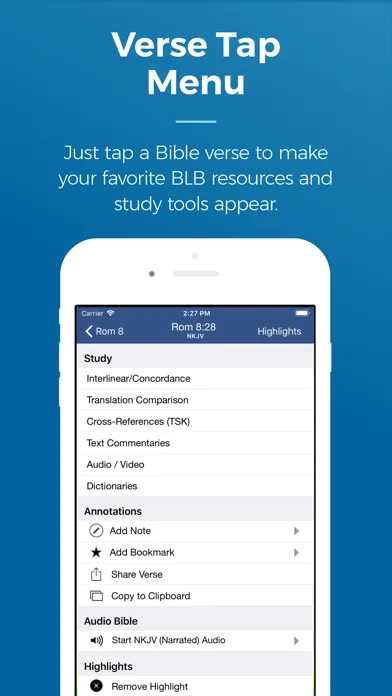
It doesn't look like a 2026 app. It doesn't try to gamify your devotional life. It doesn't sell you a subscription. What it does is open any verse, tap any word, and surface the Strong's number, the lexicon entry, the parsing data, four or five classical commentaries, and an audio teaching from a verse-by-verse preacher - all in three taps, all offline once downloaded, all free.
For the right user - anyone who has ever wanted to look up the original word behind "love" in John 21 or "create" in Genesis 1 without buying a $400 software package - Blue Letter Bible is the answer. It is not the right choice for someone who wants a polished reading experience, social features, or daily devotionals. The interface is functional rather than beautiful, and that is the entire point.
✓ The good
- Best-in-class Strong's Concordance integration - tap any word, get the original Hebrew or Greek, parsing, and multiple lexicons instantly
- Classical commentary library included free - Matthew Henry, Jamieson-Fausset-Brown, Geneva Notes, John Gill, David Guzik, and more
- Deep audio teaching library - full verse-by-verse series from Chuck Smith, Skip Heitzig, David Guzik, and other Calvary Chapel-tradition teachers
- Multiple lexicons cross-referenced - Strong's, Thayer's, Gesenius, BDB, TDNT abridged where licensing allows
- Genuinely free with no upsell - funded entirely by donations, no premium tier, no nag screens, no ads
- Solid offline mode - download translations, commentaries, and audio for use without a signal
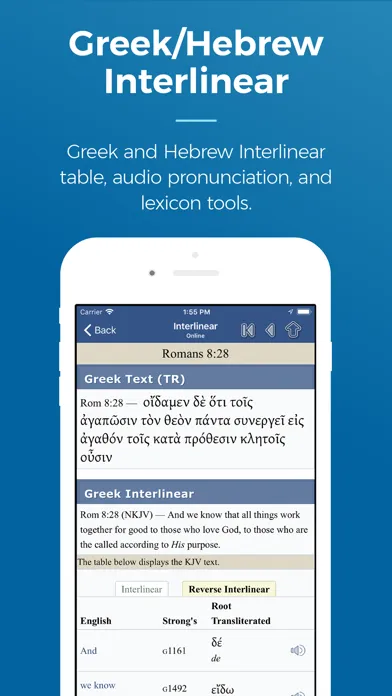
- Interlinear view with parsing tags - see the underlying Hebrew/Greek beneath the English with grammatical data
✗ Watch out
- Interface feels dated - the design is functional, not modern, and the learning curve is real
- No reading plans or devotional content (yet) - this is a study tool, not a daily-reader
- No social or community features - no friends, no shared highlights, no prayer lists
- Commentary selection skews older and Calvary Chapel-influenced - light on twenty-first-century scholarship
- Search and navigation can feel clunky compared to YouVersion or Olive Tree
Best for
- Pastors and teachers preparing sermons on a phone or tablet
- Seminary students who want Logos-style depth without Logos pricing
- Anyone curious about the Hebrew or Greek behind their English Bible
- Lay readers who want classical commentary without a paywall
Avoid if
- You want a beautiful, modern reading experience above all else
- You read devotionally and want daily plans, streaks, or verse-of-the-day
- You want social features or community accountability
- You need the latest critical scholarship or modern academic commentaries
What Blue Letter Bible is
Blue Letter Bible is a free mobile study app - and a long-running website (since 1996) - built around one core idea: every English word in the Bible should be one tap away from its original Hebrew or Greek, its lexicon entry, its grammatical parsing, and a stack of trusted commentaries. The app is the mobile front end for a study database that pastors, students, and serious lay readers have been using on desktop since the 1990s.
Under the hood, it is a verse browser bolted to a Strong's Concordance, a lexicon stack, an interlinear, a commentary library, and an audio sermon archive. There is no monthly subscription, no premium tier, and no functional upsell. The non-profit behind it survives on donations, and the entire feature set - including audio teachings and commentary downloads - is available to every user on day one.
Why serious students keep coming back to Blue Letter Bible
Most Bible apps treat original-language tools as a premium feature locked behind a $9.99/month subscription, or a $50 in-app purchase, or a "scholar tier." Blue Letter Bible treats them as the main event and gives them away. This is the single biggest practical difference between BLB and the apps that outrank it on the App Store charts - and it is the reason it has the cult following it has among teachers.
The other piece is that the people who built it were teachers themselves. The defaults - KJV with Strong's numbers visible, Matthew Henry one tap away, an audio sermon for the chapter you're reading - assume you came here to study, not to scroll. That assumption is increasingly rare on a smartphone, and for anyone whose job involves producing sermons, lessons, or serious study notes, it's the model that respects your work.
Strong's & lexicons: the killer feature
Tap any word in a Bible verse and Blue Letter Bible opens a panel with the Strong's number, the transliterated Hebrew or Greek, the part of speech, the full lexicon definition (usually Thayer's for Greek and Gesenius/BDB for Hebrew where licensing allows), the root, and a list of every other place that word appears in scripture with a one-tap jump. Tap "Concordance" and you can sort those appearances by book, by author, or by frequency. Tap "TVM" on a verb and you get tense-voice-mood parsing in plain English - aorist active indicative, perfect passive participle, all of it.
This sounds like a small thing. In practice it's transformative. Reading Genesis 1:1 with Strong's on, you discover that the verb "created" (bara) is used exclusively of divine action in the Hebrew Bible. Reading John 21 with Strong's on, you see that Jesus and Peter swap between agapao and phileo in a way every English translation flattens. None of this requires you to know Hebrew or Greek - it just requires the app to put the original language one tap below the English. Logos does this brilliantly for $300+ in libraries. Blue Letter Bible does it for free, on your phone, offline.
Audio teachings library: a free seminary on commute
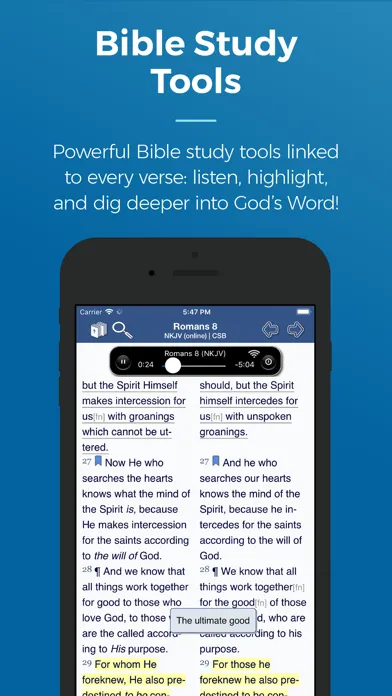
Blue Letter Bible bundles thousands of hours of verse-by-verse audio teaching from Calvary Chapel-tradition pastors - Chuck Smith's complete "Through the Bible" series, Skip Heitzig's "Expound" walkthroughs, David Guzik's Enduring Word audio commentary, and several others. The integration is simple: open any chapter, tap the speaker icon, pick a teacher, and you're listening to a thirty-to-sixty-minute exposition of that exact chapter, downloadable for offline play.
The tradition is specific - verse-by-verse, expositional, Calvary Chapel-influenced - which is worth knowing about going in. But within that lane, the depth is extraordinary. Chuck Smith taught through the entire Bible multiple times before his death in 2013, and every one of those teachings is here, free, organized by passage. For drivers, runners, and anyone with a long commute, the app effectively functions as a free expositional seminary. Most premium "audio Bible study" apps charge $9.99/month for less content than this.
Multi-translation parallel view
Blue Letter Bible lets you stack up to four English translations side by side - KJV, NKJV, NASB, ESV, NIV, NLT, CSB, ASV, and a long list of public-domain options - and scroll them in sync. Tap any verse in any column and the cross-reference, lexicon, and commentary panels pull from that verse. For comparing how a tricky passage gets handled across formal and dynamic translations, this is the fastest workflow on mobile.
The parallel view also doubles as a quiet translation-philosophy lesson. Watching Hebrews 1:3 move from KJV's "express image of his person" to NIV's "exact representation of his being" to NASB's "exact representation of His nature" - with the underlying Greek (charakter tes hypostaseos) visible in the Strong's panel - teaches more about how translation works than most introductory courses. It's the kind of feature Logos charges for in its Comparison tool. Blue Letter Bible ships it free.
Pricing
Free
Free
Everything. The full app, every translation, every lexicon, every commentary, every audio series - no premium tier exists.
Donation
Pay what you want
Blue Letter Bible is a 501(c)(3) non-profit. If the app saves you the price of Logos, consider a one-time or monthly donation through the in-app link.
Pricing is the easiest section to write in any Blue Letter Bible review: there isn't any. The app is free, every translation is free, every commentary is free, every audio teaching is free, every lexicon is free. There is no premium tier. There is no ad-supported version. There are no in-app purchases.
The organization behind the app is a 501(c)(3) non-profit funded by donations, and there is a discreet "Donate" link in the app menu. If the app replaces a Logos library for you - or replaces a $9.99/month "audio Bible study" subscription - consider giving them something. They have built and maintained this thing for thirty years on goodwill.
For comparison, the rough equivalent feature set in Logos starts around $300 one-time for a Starter library and climbs into the thousands for the libraries with comparable lexicon depth. Olive Tree's in-app purchase model for similar commentaries and lexicons can easily run $200-$400 once you assemble the same stack. Blue Letter Bible covers the same ground for $0, with the trade-off being a less polished interface and a slightly older commentary selection.
Most users do not need anything beyond what the free app already includes. The question is whether the interface and content fit how you study - not whether you can afford it.
Where Blue Letter Bible falls behind
No reading plans or devotional layer. If you came here for a 90-day "Bible in a Year" track with daily reminders and streak counts, this is the wrong app. Blue Letter Bible assumes you already know what passage you want to study and gives you tools to study it deeply. YouVersion, Bible Recap, and Dwell all do daily-reading scaffolding far better.
Interface design feels a decade behind. The navigation is functional, the typography is workable but unremarkable, and discovering features often means tapping around. New users frequently miss the Strong's feature entirely for weeks because the toggle is not obvious. A pastor friend will usually be the one who finally points it out.
No social or community features. There are no friends, no shared notes, no group reading plans, no public highlights. For some users this is a feature; for others it's a real gap. If accountability and community are central to how you read, look elsewhere.
Commentary selection skews older and tradition-specific. Matthew Henry (1700s), Jamieson-Fausset-Brown (1800s), Geneva Notes (1500s-1600s), John Gill (1700s), and David Guzik (modern, Calvary Chapel) are the heavy hitters. There is no NICOT, no Word Biblical Commentary, no modern critical scholarship. For free, what's included is remarkable. For sermon prep on the latest scholarly debates, you'll still want a separate library.
Search is functional but not magical. Boolean searches and phrase searches work, but the discoverability of advanced search syntax is poor compared to Logos or even Bible Gateway's web search. Power users learn to navigate by Strong's number rather than by keyword.
Blue Letter Bible vs. Bible Hub vs. Logos
Different strengths. Blue Letter Bible is better on mobile and better at audio teachings. Bible Hub is broader on the web - more parallel translations, more commentary sources, a denser interlinear - but its mobile app is thinner and its UX is comparatively dated. Logos is broader still (vastly so), with modern academic commentaries, the Factbook, the Sermon Builder, and a research environment Blue Letter Bible doesn't try to compete with - but Logos starts at hundreds of dollars and climbs into the thousands.
For the specific job of "open the Bible on a phone, tap a word, read the Hebrew or Greek, scan a few commentaries, listen to a sermon on the passage" - Blue Letter Bible wins. It's faster, cleaner on mobile, and doesn't require an account or a credit card. Bible Hub's mobile app is a reasonable backup, especially if you prefer its denser interlinear layout, and the two apps complement each other well.
Logos enters the conversation for one user: the working pastor or seminary student who needs modern academic commentaries (NICOT/NICNT, Word, Anchor Yale), sermon-prep workflows that export to documents, and a desktop research environment. For that user, Logos is worth the price. For everyone else, Blue Letter Bible plus Bible Hub on the side covers ninety percent of what Logos does - at zero percent of the cost.
The bottom line
Blue Letter Bible is the best free serious-study app on mobile, and it has been for a decade. If you have ever wanted to know what a Hebrew or Greek word actually means, read a classical commentary without paying for it, or listen to a verse-by-verse audio teaching on your commute, this is the app. It is not pretty, it is not social, and it is not a daily-reader. It is a deep, donation-supported study suite that respects your work - and the closest thing to free Logos that exists on a phone. Install it, donate if it helps you, and let it teach you the original languages one tap at a time.
Alternatives to Blue Letter Bible
 Bible HubThe other free original-language powerhouse. Stronger on parallel translations and interlinear density; weaker on mobile UX and audio teachings.
 Logos Bible SoftwareThe professional standard. Vastly broader library, modern academic commentaries, and pro sermon-prep tools - at hundreds to thousands of dollars.
 Olive TreePolished reading experience with a la carte commentary and lexicon purchases. Better-looking than BLB; you assemble the library piece by piece.
 YouVersionThe default Bible app for everyday reading, plans, and community - but lacks Blue Letter Bible's original-language and lexicon depth.
Frequently asked questions
Is the Blue Letter Bible app really completely free?
Yes. There is no premium tier, no subscription, and no in-app purchases. The non-profit behind it is funded entirely by donations, and every feature - Strong's, lexicons, commentaries, audio teachings, parallel translations - is available to every user from day one.
Do I need to know Hebrew or Greek to use the Strong's features?
No. The entire point of Strong's and the integrated lexicons is to let English readers see what the original-language words mean without learning Hebrew or Greek. Tap any English word, get the original term, its definition, and how it's used elsewhere in scripture. Most users start with no language background at all.
How does Blue Letter Bible compare to Logos?
Logos is broader and includes modern academic commentaries, sermon-prep workflows, and a desktop research environment Blue Letter Bible doesn't try to match. But Logos starts at hundreds of dollars and climbs into the thousands. For the core job of original-language word study on mobile, Blue Letter Bible covers most of what Logos does for free.
What translations does the app include?
KJV (with Strong's tagging), NKJV, NASB, ESV, NIV, NLT, CSB, ASV, RSV, and a long list of public-domain English translations, plus interlinear Hebrew (BHS-based) and Greek (Textus Receptus and others). Some licensed translations require a one-time download but remain free.
Which commentaries are included?
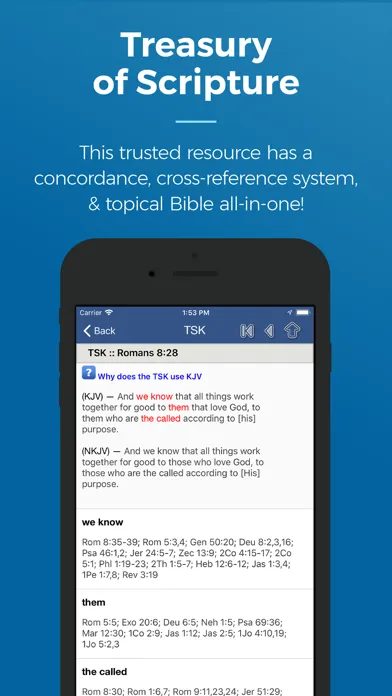
Matthew Henry (complete and concise), Jamieson-Fausset-Brown, Geneva Notes, John Gill's Exposition, David Guzik's Enduring Word, plus several others including Treasury of Scripture Knowledge for cross-references. Selection skews older and toward Reformed/Calvary Chapel traditions.
Whose audio teachings are in the app?
Primarily Calvary Chapel-tradition pastors: Chuck Smith's complete "Through the Bible," Skip Heitzig's "Expound" series, and David Guzik's Enduring Word audio, among others. All are organized by passage, so you can pull up a teaching on whichever chapter you're reading.
Does the app work offline?
Yes. Translations, commentaries, lexicons, and audio teachings can all be downloaded for offline use. Once downloaded, the full study experience works without a signal - useful for travel, camping, or anywhere reception drops.
Sources & further reading
More Bible Reading Apps
 Concise BibleConcise Bible arranges selected Scripture passages, introductions, images and audio into a short path through the biblical story in sixteen app languages—a generous free introduction that should lead into the whole Bible, not be mistaken for it.
 SoapBox Super AppSoapBox combines a multilingual Bible, original-language helps, prayer, journaling, sermons, church management, giving, community and ORA AI in one fast-moving platform—but that breadth also concentrates unusually sensitive spiritual and organizational data.
 Sword of the SpiritSword of the Spirit turns Bible reading into an indie role-playing campaign with armor, virtues, enemies, quests and comprehension battles—an imaginative free experiment whose early-access reliability and data documentation still need work.
 FJN – Find Jesus NowFind Jesus Now packages a Bible reader, notes, audio, AI explanations, testimonies, sermons and studies around an evangelism mission—but much of the experience is a live web service with unresolved ad and privacy contradictions.
 BibleShelfBibleShelf replaces deadline-heavy plans with a gentler book-by-book tracker, synchronized web access, an ESV reader and simple memory verses—but it is still a young, English-only tool with little study guidance.
 Bible Speed ReadA focused RSVP reader that can make a familiar chapter feel newly immediate, with thoughtful pacing controls and offline support—but only NIV and ESV are currently confirmed, and speed is not the same as understanding.