- Starting price
- Free
- Free tier
- Yes
- Platforms
- Web
- Developer
- Independent ministry
- Launched
- 2010
- Updated
- May 31, 2026
The verdict
StudyBible.info is a quietly capable free study workspace that punches above its plain appearance - side-by-side translations, an original-language interlinear, the Septuagint and Latin Vulgate, Strong's numbers, and a concordance, all in the browser with no account and no cost. The design is utilitarian and dated, and the catalog leans toward classic and public-domain texts, but as a free, login-free place to lay several versions next to the original languages, it does the job well.
Try StudyBible.info ↗Opens studybible.info
StudyBible.info has quietly become a go-to bookmark for readers who want a working study Bible in a browser tab without paying for software or signing into anything. Run by an independent ministry and online since around 2010, studybible.info bundles the tools a careful reader actually reaches for - translations side by side, a Greek and Hebrew interlinear, the Septuagint (the ancient Greek Old Testament) and the Latin Vulgate, Strong's numbers, and a concordance - into one navigable surface. It is the sort of resource people stumble onto while chasing a word study and then keep coming back to.
It is free. It does not run a subscription. It does not gate the interlinear or the concordance behind a paywall. It does not require an account to read. Open the site, pick your verse, choose the versions you want stacked beside it, click a Strong's number to chase a word, and the whole study loop happens in the browser. The ministry behind it carries the cost, and the workspace is given away to anyone with a connection.
The trade-off is presentation and breadth. StudyBible.info looks and feels utilitarian - the layout is plain, the typography is functional, and there is little of the polish a modern reading app brings. Its strongest material leans toward classic and public-domain translations and reference works rather than the full slate of the latest copyrighted versions. Held against its real job - being a free, no-login workspace where a curious reader can lay several translations next to the original languages and dig in - StudyBible.info is a genuinely useful tool that asks for nothing in return.
✓ The good
- Completely free with no login - translations, interlinear, Septuagint, Vulgate, Strong's, and the concordance all load for anyone with a browser
- Side-by-side translation view - stack multiple versions next to each other to compare wording verse by verse
- A Greek and Hebrew interlinear is built in - see the original words lined up under the English with Strong's tagging
- Carries the Septuagint and the Latin Vulgate - the ancient Greek Old Testament and the historic Latin Bible, which most free sites do not surface together
- Strong's numbers throughout - click a number to chase a word's meaning and its other occurrences without leaving the page
- Lightweight and fast - the plain interface loads quickly and works on modest connections and older devices
- A single browser workspace - comparison, original language, and concordance lookups all happen in one place, no app to install
✗ Watch out
- Design is utilitarian and dated - the layout and typography are function-first and feel a generation behind modern reading apps
- Translation catalog leans classic and public-domain - readers wanting the full slate of the latest copyrighted versions may find gaps
- No personal workspace - there are no saved notes, highlights, or account sync; it is a reference, not a study journal
- Mobile experience is workable but plain - the side-by-side and interlinear views are happiest on a wider screen
- Sparse documentation - the ministry behind the site keeps a low profile, so there is little onboarding or help material
Best for
- Readers who want to compare several translations side by side for free
- Students wanting an interlinear plus the Septuagint and Vulgate in one place
- Word-study readers who want Strong's numbers and a concordance in the browser
- Anyone who prefers a fast, no-login tool over installing study software
Avoid if
- You want a polished, modern, mobile-first reading interface
- You need the newest copyrighted translations as your default text
- You want personal notes, highlights, and account sync
- You want commentary and devotional content alongside the text
What StudyBible.info is
StudyBible.info - studybible.info - is a free online study Bible that runs entirely in a browser. It puts several layers of text into one workspace: multiple translations you can display side by side, a Greek and Hebrew interlinear that lines the original words up under the English, the Septuagint (the ancient Greek translation of the Old Testament) and the Latin Vulgate, Strong's numbers linking words to their dictionary meanings, and a concordance for finding where words and phrases occur. The aim is to let a reader compare wording and dig into the original languages without buying software.
It runs in any browser, with no companion app to install. There is no account. There is no subscription. There is no premium tier. An independent ministry carries the cost and gives the workspace away, which is why a plain, fast, login-free study Bible has stayed available for well over a decade.
Why study-minded readers keep StudyBible.info bookmarked
The single biggest practical difference between StudyBible.info and a typical reading-first Bible site is that it assumes you came to study, not just to read. YouVersion is built to make daily reading a habit. Bible Gateway is built to display one clean translation beautifully. StudyBible.info is built to let you lay several translations next to each other, drop into a Greek or Hebrew interlinear, pull up the Septuagint or the Vulgate for the same passage, and chase a Strong's number through the concordance - all in one browser tab, for free, without an account. It is a workspace, not a reading room.
That focus is the appeal for a particular reader. Someone comparing how three versions handle a difficult verse. A teacher who wants to glance at the Septuagint reading of an Old Testament passage the New Testament quotes. A curious lay student following a word through the text with Strong's numbers and a concordance. For those readers, the value is not in atmosphere or design - it is in having the comparison tools and the original-language layers stitched together and given away. Few free sites assemble exactly this set of tools in one place and ask nothing for it.
Side-by-side translations: compare wording in one view
The everyday workhorse of StudyBible.info is its parallel display. You can pull up a passage and place multiple translations next to each other, reading across the row to see where versions agree and where they diverge. This is the single most common piece of "Bible study" a non-specialist actually does - was a word rendered "mercy" or "lovingkindness," "spirit" or "wind," "servant" or "slave" - and the side-by-side view answers it at a glance without flipping between tabs. The catalog leans toward classic and widely available translations, which covers the comparisons most readers want to make.
This sounds like a small thing. In practice it is the feature most readers use first and return to most. Comparison is where a lot of real understanding happens, because seeing two faithful translations choose different English words is what prompts the question "why?" - and StudyBible.info puts that prompt in front of you for free. The honest caveat is breadth: if your default Bible is one of the newest copyrighted versions, you may find it absent or available only in fewer combinations than a paid platform offers. For comparing the classic and widely used translations, though, the side-by-side view does exactly what it should.
Original languages: interlinear, Septuagint, and Vulgate together
Where StudyBible.info goes beyond a basic reading site is its original-language layer. A Greek and Hebrew interlinear lines the original words up beneath the English with Strong's tagging, so you can see the underlying term for any word in a verse. Alongside it the site carries the Septuagint - the ancient Greek translation of the Old Testament that the New Testament writers often quoted - and the Latin Vulgate, the historic Latin Bible. Having all three within reach on the same passage is unusual for a free site, and it lets a reader do comparisons that normally require either paid software or several separate resources.
This is the layer that earns StudyBible.info its place among study-minded readers. Seeing the Hebrew of an Old Testament verse, the Septuagint's Greek rendering of it, and how the New Testament then quotes it is a genuinely instructive exercise, and few free tools put those pieces side by side. You will not do specialist morphological work here - for exhaustive grammatical databases, paid platforms still go further - but for the original-language questions a thoughtful lay reader actually asks, the interlinear plus the Septuagint, the Vulgate, and Strong's tagging is a strong, free toolkit, and having it all in one workspace is the point.
Strong's numbers and the concordance: chasing a word through the text
StudyBible.info ties its texts together with Strong's numbers and a concordance, which turns reading into searching. Click a Strong's number on a word and you can see its dictionary meaning and follow it to other places the same word appears; use the concordance to find every occurrence of a word or phrase across the Bible. This is the classic word-study workflow - start with a verse, identify the underlying Greek or Hebrew word, and trace it through scripture to see how it is used elsewhere - and the site keeps the whole loop inside one browser workspace.
For a lay reader, this is where the site stops being a place to read and becomes a place to investigate. Following a single word through the text with Strong's numbers and a concordance is one of the most rewarding things a non-specialist can do, and it used to require a hefty print concordance or paid software. StudyBible.info hands you the same basic capability for free. The depth is reference-grade rather than scholarly - it answers "where else does this word appear and roughly what does it mean" rather than reconstructing fine semantic ranges - but for the questions most readers bring, that is exactly the right depth.
Pricing
StudyBible.info Website
Free
The full site at studybible.info - side-by-side translations, the Greek and Hebrew interlinear, the Septuagint, the Latin Vulgate, Strong's numbers, and the concordance. No login, no subscription, no premium tier. This is the whole product.
Original-language tools
Free
The interlinear, the Septuagint and Vulgate texts, and the Strong's-tagged word lookups are part of the free site - there is no separate paid tier for the original-language layer. Everything is included.
Support the ministry
Optional
StudyBible.info is run by an independent ministry that carries the hosting cost. Any support is genuinely optional and nothing on the site is gated behind giving - the full workspace stays free for the next reader.
There is no pricing to recap. StudyBible.info is free. The translations are free. The interlinear, the Septuagint, the Vulgate, the Strong's tagging, and the concordance are free. There is no premium tier, no subscription on the roadmap, and no plan to gate features behind an account.
The site is run by an independent ministry that carries the hosting cost. Any support is genuinely optional, and nothing on the site is gated behind giving - most readers use the full workspace and never contribute, and the experience stays the same for them.
The implicit cost - worth naming honestly - is polish and breadth. StudyBible.info keeps things lean by running a plain, function-first interface and leaning on classic and public-domain texts rather than licensing the full slate of the newest copyrighted translations and building a modern, responsive front-end. The tools are capable; the wrapper is bare, and the catalog tilts toward the classic and widely available.
Most readers do not need to think about any of this. Open studybible.info, choose a passage and the versions you want, and the comparison and original-language tools are all one click away.
Where StudyBible.info falls behind
Utilitarian, dated design. StudyBible.info is a function-first site. The layout is plain, the typography is workmanlike, and there is none of the reading-app polish that YouVersion or Bible Gateway bring. The tools work and they work well, but anyone used to a modern, carefully designed interface will find the experience spare. On mobile it is usable but visibly happiest on a wider screen, where the side-by-side and interlinear views have room to breathe.
A catalog that leans classic. The site's real strength is the comparison and original-language layers, but its translation catalog tilts toward classic and public-domain versions. If your default Bible is one of the newest copyrighted translations, you may find it missing or available in fewer combinations than a paid platform or a larger free site like Bible Gateway offers. For comparing the widely used and historic translations, the catalog is plenty; for the latest releases as your primary text, it may not be.
No commentary or devotional layer. StudyBible.info gives you the text, the original languages, and the tools to search them - but no commentary, no study notes, and no devotional content. For exposition you still need a commentary resource like Bible Hub's classical stack or Enduring Word, or a study Bible. The site answers "what does the text say and where else does this word appear," not "what have teachers made of it."
No personal workspace. There are no saved notes, no highlights, no bookmarks tied to an account, no reading plans, no sync across devices. StudyBible.info is a reference workspace you use in the moment, not a study journal that remembers you. If you want a place to keep your own observations alongside the text, you will pair it with software that has a persistent workspace, or with a notebook.
A low-profile ministry and sparse help. The independent ministry behind StudyBible.info keeps a quiet footprint, which means there is little onboarding, documentation, or help material to lean on. Most of the tools are discoverable enough that a curious reader will find their way, but newcomers who want a guided introduction or who hit a question will find few official answers on the site itself.
StudyBible.info vs. Bible Hub vs. NET Bible
These three free study sites all serve a reader who wants to dig into the text without paying for software, and they overlap enough that many people keep more than one bookmarked. Choosing between them comes down to what you most want in front of you.
Different strengths. StudyBible.info is a compact workspace - side-by-side translations, an interlinear, the Septuagint and the Vulgate, Strong's numbers, and a concordance, all stitched into one fast, plain browser tab. Bible Hub is broader and denser - thirty-plus parallel translations, a Strong's interlinear, multiple lexicons, cross-references, and a wall of classical commentary on every verse, though with a busier, more crowded page. The NET Bible is built around its own translation and its enormous set of translators' notes - thousands of footnotes explaining why the text was rendered as it was, which is a different and very transparent kind of study help.
The honest sorting for most readers: reach for StudyBible.info when you want to lay several translations beside the original languages, the Septuagint, and the Vulgate in one clean loop. Reach for Bible Hub when you want maximum breadth - every translation, lexicon, and classical commentary on one verse page. Reach for the NET Bible when you want to understand the translation decisions themselves through its notes. None of these is exclusive of the others, all are free, and using them together is a normal study setup.
The bottom line
StudyBible.info is a quietly capable free study Bible that does more than its plain appearance suggests - side-by-side translations, a Greek and Hebrew interlinear, the Septuagint and the Latin Vulgate, Strong's numbers, and a concordance, all in the browser with no account and no cost. The design is utilitarian and the catalog leans toward classic and public-domain texts, and there is no commentary or personal workspace. But for a free, login-free place to lay several versions next to the original languages and chase a word through scripture, it does its job well. Bookmark it alongside Bible Hub and the NET Bible and you have a study toolkit that asks for nothing.
Alternatives to StudyBible.info
 Bible HubThe most-cited free study site on the internet - thirty parallel translations, a Strong's interlinear, lexicons, cross-references, and classical commentary on every verse. Broader and denser than StudyBible.info, though busier on the page.
 Blue Letter BibleA major free serious-study site with a clean original-language interface, strong lexicon lookups, Strong's tagging, and a built-in commentary. A natural companion for word studies in the browser.
 NET BibleA free online Bible built around its own translation and thousands of translators' notes that explain the rendering decisions. The most transparent free window into why a verse reads the way it does.
 STEP BibleTyndale House's free study site - a modern, mobile-friendly interface linking the original text to lexicons and morphology. The cleaner-feeling alternative for original-language lookups.
Frequently asked questions
Is StudyBible.info really completely free?
Yes - the side-by-side translations, the Greek and Hebrew interlinear, the Septuagint, the Latin Vulgate, the Strong's numbers, and the concordance all load for free with no login required. An independent ministry carries the hosting cost and any support is optional, but nothing on the site is gated behind paying.
What can I actually study on StudyBible.info?
You can compare multiple translations side by side, read a passage in a Greek or Hebrew interlinear, pull up the Septuagint (the ancient Greek Old Testament) and the Latin Vulgate, click Strong's numbers to chase a word's meaning, and use a concordance to find where words and phrases occur across the Bible - all in one browser workspace.
Does it include the original languages?
Yes. There is a Greek and Hebrew interlinear with Strong's tagging, plus the Septuagint and the Latin Vulgate. For the original-language questions a thoughtful lay reader asks, that toolkit is strong and free. For exhaustive specialist morphological databases, a paid platform still goes further.
Which translations are available?
The catalog leans toward classic and widely available translations rather than the full slate of the newest copyrighted versions. That covers the comparisons most readers want to make, but if your default Bible is one of the latest releases, you may find it absent or available in fewer combinations than on a larger site like Bible Gateway.
Is there a StudyBible.info app?
No - StudyBible.info is a web property with no flagship dedicated app. It runs in any browser. Mobile web works, though the side-by-side and interlinear views are happiest on a wider screen where there is room to display several columns at once.
How does it compare to Bible Hub?
They overlap but feel different. StudyBible.info is a compact workspace that puts translations, an interlinear, the Septuagint, the Vulgate, Strong's, and a concordance in one clean tab. Bible Hub is broader and denser, stacking far more translations, multiple lexicons, and classical commentary on every verse, at the cost of a busier page. Many readers keep both bookmarked and use whichever surfaces what they need faster.
Does StudyBible.info save my notes or highlights?
No. It is a reference workspace, not a study journal - there are no saved notes, highlights, bookmarks, or account sync. If you want a place to keep your own observations alongside the text, pair it with study software that has a persistent workspace, or keep a notebook beside you.
Sources & further reading
More Bible Reading Websites
 route.bibleA free, open-spec routing layer that turns a Bible reference into one stable link or QR code and lets each reader choose a preferred Bible destination—an elegant solution for slides, print, websites, and AI output, provided publishers test reference parsing, redirects, tracking tags, accessibility, and long-term fallback.
 SefariaA Jewish nonprofit quietly rebuilt the entire rabbinic library online - and serious Christian students of the Hebrew Bible keep showing up to use it.
 BibleLinkA polished way to make Bible references readable without sending visitors away—but its noncommercial license and hosted-service dependency deserve attention before installation.
 fetch(bible)Gracious Tech’s free, open-source Scripture platform combines 1,404 translations, a compressed global CDN, developer libraries, and an embeddable reader—exceptionally generous infrastructure whose translation licenses still require your own diligence.
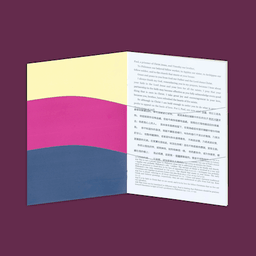 Paper BibleA delightful free generator that turns a chosen Scripture portion into a configurable PDF or folded booklet in hundreds of languages, with presets for reading, study, and notes—but every print project still depends on translation permissions, PDF inspection, and the limits of a remotely generated document.
 Sparks Chinese BibleA rich Chinese-language Bible platform joining many translations, original-language study, courses, media, and community—especially compelling for serious learners who can audit its AI and privacy choices.