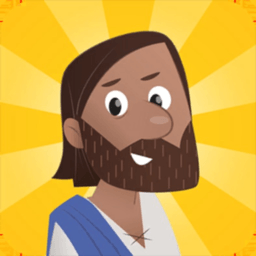
- Starting price
- Free
- Free tier
- Yes
- Platforms
- iOS · Android · Kindle Fire
- Developer
- Life.Church (YouVersion) + OneHope
- Launched
- 2013
- Updated
- May 24, 2026
The verdict
The category-defining kids' Bible app: animated, interactive, free, ad-free, and used by 100M+ households. The art direction skews young (ages 4-8), and there's no continuation product for older kids - but for the audience it's built for, nothing else is close.
Try Bible App for Kids ↗Opens bibleappforkids.com
Bible App for Kids has quietly become the favorite of families who want their preschoolers and early-elementary kids to actually open a Bible - not just hear about one. Built by YouVersion (Life.Church) in partnership with the children's ministry organization OneHope, it has crossed 100 million installs and is translated into dozens of languages, which makes it almost certainly the most-downloaded kids' scripture app in history. It is also completely free, with no ads and no in-app purchases.
The app's premise is simple enough that you can describe it in a sentence: animated, touch-interactive Bible stories for ages roughly 4 to 8, told in chronological order, unlocked one at a time as the child finishes each one. It doesn't try to be a full children's Bible. It doesn't try to teach theology. It doesn't try to replace what a parent or Sunday school teacher does. What it does is hold a small child's attention for the length of a real Bible story - and that, anyone who has tried to read Genesis aloud to a four-year-old will tell you, is the whole game.
There is also a second product hiding under the same brand that most parents have never heard of: the Bible App for Kids Curriculum, a free downloadable Sunday-school curriculum that thousands of churches now use as their default children's-ministry track. That's the part of the story that explains why so many children's pastors recommend the app - they're already teaching out of the same scope and sequence on Sunday morning.
✓ The good
- Best-in-class animation for the category - the art direction, character design, and motion are several tiers above any competing kids' Bible app
- Completely free with no ads and no in-app purchases - rare in the kids' app market and not a small thing for parents
- Touch-interactive throughout - kids tap fish to make them swim, shake the screen to part the sea, drag manna from the sky; passive screen time becomes active engagement
- Story-unlock progression keeps kids coming back - the next story doesn't open until the current one is finished, which produces genuine pull-through across the whole Bible arc
- Dozens of language translations - Spanish, Portuguese, Mandarin, Arabic, French, Russian, Swahili, and many more, making it the default kids app for global ministries
- Free Bible App for Kids Curriculum for churches - a full Sunday-school program with lessons, leader guides, and parent take-homes, downloaded by tens of thousands of children's ministries
- Offline-capable once stories are downloaded - works on a long car ride, on a plane, in a church basement with no Wi-Fi
✗ Watch out
- Hard ceiling around age 8 - kids who age out have nowhere to graduate to within the app, and YouVersion's main app is built for adult readers
- Selective story coverage - the app covers the major narrative arcs but is not a complete Bible; some parents expect a full children's Bible and find the lineup shorter than expected
- No read-along scripture text in many older stories - early stories lean almost entirely on narration and animation rather than on-screen verses (this has been improving in newer updates)
- Light theological framing by design - the app tells the stories and lets parents and teachers do the doctrinal explaining, which is intentional but means you cannot hand a child the app and walk away from the discipling part
- No native iPad-optimized layout for some older devices - works fine but renders as a scaled phone app on certain older tablets
- No web version (yet) - strictly mobile and Kindle Fire; no browser fallback for school-issued Chromebooks
Best for
- Parents of children ages 4-8
- Children's ministries and Sunday schools looking for a free curriculum
- Missionary families and global ministries needing non-English kids content
- Grandparents who want a screen handoff that isn't YouTube
Avoid if
- Your child is older than 9 or 10
- You want a comprehensive verse-by-verse children's Bible
- You want denomination-specific catechesis (Catholic, LDS, Orthodox)
- You prefer audio-only or paper-only formats for kids
What Bible App for Kids is
Bible App for Kids is a free mobile app that walks children ages roughly 4 to 8 through the storyline of the Bible using animated, touch-interactive scenes. Each story runs five to ten minutes, combines narration with simple read-along text, and ends with a short comprehension activity (a memory game, a coloring page, a tap-to-find puzzle) that earns the child an unlock for the next story.
The product is published jointly by Life.Church - the same Oklahoma-based church that built YouVersion - and OneHope, a global children's-ministry organization that has spent decades developing scripture content for kids. Stories are arranged roughly chronologically across both Testaments, beginning with Creation and moving through the Patriarchs, the Exodus, the Kings, the Prophets, the Gospels, Acts, and a handful of later New Testament moments. The app launched in 2013 and has been continuously updated since.
Why parents and children's pastors default to Bible App for Kids
The single biggest practical difference between Bible App for Kids and every other kids' Bible app is production budget. YouVersion and OneHope have poured serious money into the animation, the character design, the sound design, and the interaction model - and you can see it the moment you open the first story. The art looks like a real children's animated series, not a flash-game knockoff. The narrators sound like professional voice actors. The touch interactions are tuned. Competing kids' Bible apps tend to look ten years older than this one even when they were released the same year.
The second thing parents notice - and this is the one that matters in the long run - is that the app is genuinely free and genuinely ad-free. There is no premium tier dangling behind a paywall. There is no banner ad cycling at the bottom. There is no upsell to a sister app. A four-year-old can be handed an iPad with this app open and a parent does not need to hover. That kind of trust is almost unheard of in the kids' app category, and it is the main reason Bible App for Kids has spread the way it has.
The animated story experience: where the production budget actually went
Each story in Bible App for Kids is essentially a short animated film built for a touchscreen. A narrator walks the child through the events - Noah building the ark, David and Goliath, the Last Supper, the Road to Emmaus - while the scene moves on screen and the child taps, drags, and shakes to make things happen. Tap the fish in the Jonah story and they swim. Shake the device during the parting of the Red Sea and the waters split. Drag manna from the sky in the wilderness scene. The interactions are simple, kid-grade, and consistent across stories, which means a child who has finished three stories can navigate the fourth without help.
The reason this feature carries the whole app is that it solves the actual problem parents have, which is not lack of Bible content for kids - there are stacks of children's Bibles at every Christian bookstore - but lack of Bible content that competes with everything else on the screen. YouTube Kids is fast, loud, and infinitely scrollable. A picture book is none of those. Bible App for Kids is the rare middle path: paced enough to actually tell a Bible story, interactive enough that a small child stays in the seat, and short enough that a parent can use it for a real bedtime devotion without a meltdown at the end. This sounds like a small thing. In practice it's transformative.
Story progression and the unlock system: why kids keep coming back
Stories in the app are arranged in chronological order and gated. A child cannot jump ahead to the New Testament - they have to finish Creation, Adam and Eve, Cain and Abel, Noah, the Tower of Babel, Abraham, and so on, in order, to unlock what comes next. Each completed story earns a small visual reward (a stamp, a star, a sticker on a map) and opens the door to the next. The progression is visible, the next-story prompt is built in, and the structure pulls kids forward in the same way a well-designed game does - except the spine of the experience is the chronological arc of scripture.
This is a deliberately important design choice and it is the reason the app produces longer-term retention than its competitors. Most kids' Bible apps are a grid of stories you can open in any order, which means children sample three or four favorites and ignore the rest. Bible App for Kids replaces that with a path. A four-year-old who has been opening the app for a few months has been walked, in order, through Genesis and Exodus, not just through Noah-and-the-Animals on repeat. The unlock system also gives parents a natural cadence - one new story per devotional session - so the app slots into a bedtime or breakfast routine without anyone needing to plan the lineup.
Bible App for Kids Curriculum: the free Sunday-school program nobody talks about
The part of the product that most parents never see is the Bible App for Kids Curriculum - a complete, downloadable, free Sunday-school program built around the same story scope as the app. Any church can register at bibleappforkids.com/curriculum and download lesson plans, leader guides, large-group scripts, small-group discussion questions, craft instructions, worship song suggestions, and parent take-home sheets. The curriculum is organized into year-long tracks and covers the same chronological storyline that the app teaches at home, which means the kid who watched the David and Goliath story on the couch on Saturday morning walks into Sunday-morning class and gets the same story, taught with the same framing.
For a children's pastor at a small or mid-sized church, this is a serious gift. Commercial Sunday-school curriculum often runs hundreds to thousands of dollars a year per age group. Bible App for Kids Curriculum is free, professionally produced, and already aligned with what families are using at home. That's why tens of thousands of churches - many of them in regions where paid curriculum is genuinely out of reach - have made it their default children's ministry track. It is also why so many children's pastors recommend the app to parents in their congregations: the home reinforcement is automatic.
Pricing
Bible App for Kids
Free
The full app. All stories, all features, all languages. No ads, no in-app purchases, no premium tier. Available on iOS, Android, and Kindle Fire.
Bible App for Kids Curriculum
Free
Downloadable Sunday-school curriculum for churches. Lesson plans, leader guides, parent take-home sheets, craft instructions, worship suggestions. Distributed free to any church that registers.
Bible App for Kids Storybook
Varies (third-party)
A printed picture book based on the app, published in partnership with Tommy Nelson. Not required to use the app; sold separately through retail channels.
Pricing is the easiest section of any Bible App for Kids review to write, because the app costs nothing. Free download, free updates, no ads, no in-app purchases, no premium tier, no introductory trial that quietly converts. Life.Church funds YouVersion as a ministry, and Bible App for Kids inherits that model.
The Bible App for Kids Curriculum is also free for churches. Any congregation can register and download the full year's worth of lessons, leader guides, and family take-homes at no cost. There is no per-seat fee, no church-size pricing tier, no premium unlock for additional age groups.
There is a printed companion storybook published in partnership with Tommy Nelson - the Bible App for Kids Storybook - which is sold separately through normal retail channels. It is not required to use the app and is best thought of as a paper companion for households that want one. Pricing for the book varies by retailer and edition.
Most users do not need anything beyond the free app. The curriculum is a separate decision for churches, not parents. There is no premium tier to evaluate.
Where Bible App for Kids falls behind
Hard ceiling at around age 8. Kids who graduate out of the art style and pacing have nowhere to go inside the app. YouVersion's main Bible app is built for adult readers, and there's no in-between product - no 'tween' Bible app from Life.Church bridging ages 9 to 13. Parents who want a continuation typically jump to BibleProject videos, Superbook on YouTube, or simply move the child into a print study Bible.
Not a complete children's Bible. The app covers the major narrative arcs - Creation, Fall, Flood, Abraham, Exodus, David, Prophets, Gospels, Acts, Revelation - but skips many stories a parent might expect to find. If your goal is to walk a child through every story in the Bible, this is not that product.
Light theological framing by design. The app tells the story and stops there. It does not explain the Trinity, the atonement, baptism, or salvation in formal doctrinal terms. This is intentional - the app is designed to be used by parents and teachers across a wide range of Christian traditions - but it means you cannot hand the device to a child and treat the app as a discipleship program. The framing has to come from the adult in the room.
No denomination-specific edition. Catholic families looking for a kids' app that includes the Deuterocanonical books, Latter-day Saint families looking for Book of Mormon stories alongside the Bible, or Orthodox families looking for liturgical framing will need to supplement with their tradition's own kids' resources.
No web version (yet). The app is mobile-only - iOS, Android, Kindle Fire - which is fine in most households but limiting for school-issued Chromebooks, for children's ministries that project on classroom monitors, and for parents who want a browser fallback.
Bible App for Kids vs. Superbook vs. Minno
Different strengths. Bible App for Kids is the interactive app - animated, touch-driven, gated by progression, designed to live on a tablet that a four-year-old holds in their lap. Superbook (from CBN) is the long-form video product - full-length CGI episodes that retell Bible stories in roughly half-hour chunks, plus a Bible app of its own and a games hub. Minno is the streaming service - a Netflix-style subscription library of Christian kids' shows, music, and devotionals from multiple studios.
The practical difference comes down to format. Bible App for Kids is better at short, daily, interactive devotions for very young children - five-to-ten-minute stories that a parent can use as a bedtime routine and that the child actively participates in. Superbook is better at sit-down family movie nights and for slightly older kids (the CGI episodes are more cinematic and the storylines longer). Minno is broader - it isn't built around the Bible story arc at all but around a content library, which is great if you want curated Christian shows to replace YouTube but less focused if your goal is specifically chronological Bible engagement.
Most families with kids under nine use Bible App for Kids as the daily-driver and pull in Superbook episodes for family movie nights. Households that already pay for a streaming service often add Minno on top of either one. None of the three is a replacement for the others, and the fact that Bible App for Kids is free makes it the easy first install.
The bottom line
Bible App for Kids is the runaway leader in the kids' Bible app category, and it earns the position. The animation is genuinely good, the unlock-based progression actually pulls kids through the storyline, the free curriculum makes it the default in thousands of children's ministries, and the no-ads no-purchases model means parents can trust the handoff. The ceiling at age 8 and the lack of a continuation product are real gaps, but they're worth knowing about going in rather than dealbreakers. If you have a child between four and eight, this is the first app to install - and probably the only one in this category you need.
Alternatives to Bible App for Kids
 YouVersion (Bible App)Bible App for Kids' parent product - the adult Bible app from Life.Church. The natural next step for kids who age out of the kids' app, and the place parents already live.
 Our Daily Bread AppFree daily devotional app with a long-running children's devotional alongside the adult content. Better suited for slightly older kids who can sit with a written devotion.
 HallowCatholic prayer app with a robust kids' section - Catholic family devotions, kids' rosary content, bedtime prayer audio. The default for Catholic households.
 Pray.comAudio Bible stories for kids alongside adult prayer content. Stronger on bedtime audio than on interactive animation; freemium model with paid tier.
Frequently asked questions
Is Bible App for Kids really free?
Yes. The app is completely free on iOS, Android, and Kindle Fire, with no ads, no in-app purchases, and no premium tier. Life.Church and OneHope fund development as a ministry. The same is true of the Bible App for Kids Curriculum for churches - free download, no per-seat fee.
What ages is Bible App for Kids designed for?
Roughly ages 4 to 8. Younger preschoolers will need a parent's help with some of the interactions and reading. Kids over 8 or 9 typically outgrow the art style and pacing, and there's no continuation product inside the app for older children.
How is Bible App for Kids different from regular YouVersion?
YouVersion (the main Bible App) is built for adult readers - Bible translations, reading plans, devotionals, audio Bibles, community features. Bible App for Kids is a separate product entirely: animated, touch-interactive Bible stories with a progression system. They share a developer (Life.Church) but are distinct apps with different design goals.
Does it cover the whole Bible?
No. It covers the major narrative arcs - Creation, Fall, Flood, Patriarchs, Exodus, Kings, Prophets, Gospels, Acts, Revelation - but not every story. The lineup grows over time, and the chronological structure means kids walk through the overall arc of scripture in order.
What is the Bible App for Kids Curriculum?
It is a free downloadable Sunday-school curriculum that any church can register for and use. It includes lesson plans, leader guides, large-group scripts, small-group discussion questions, craft ideas, and parent take-home sheets, all aligned with the storyline taught in the app so kids get the same content at church and at home.
What languages is it available in?
Dozens. Spanish, Portuguese, Mandarin, Arabic, French, Russian, Swahili, and many more, with the list expanding over time. This makes Bible App for Kids the default kids' Bible app for global missions and for non-English-speaking families.
Is there a web version?
Not yet. Bible App for Kids is mobile-only - iOS, Android, and Kindle Fire - with no browser version. For households or classrooms that need a browser fallback, Superbook and BibleProject for Kids both offer web-accessible content.
Sources & further reading
More Bible Apps for Kids
 DUO TownDUO Town is a genuinely free, offline preschool play set where children help neighbors, practice early skills and visit a church—an unusually calm option whose no-data App Store label conflicts with its linked privacy policy.
 UCB SparkUCB Spark gives 10–12-year-olds a free daily Bible video followed by questions, prayer and tactile verse activities in an ad-free, no-login design—but families still need to discuss interpretation and difficult topics together.
 Bible WordsBible Words is a genuinely simple, free Christian guessing game for families and groups—excellent as an icebreaker, provided leaders do not confuse fast clues with Bible teaching.
 Dot Conner: WebtectiveDot Conner turns eight live-action Christian apologetics mysteries into a free offline clue hunt for children—creative, private and travel-friendly, but enormous for a short season and attached to broken curriculum and privacy pages.
 Bible Times | Card Bible GameBible Times turns 150 hand-illustrated biblical events into a fast chronological card game for solo players, families, classrooms, youth groups, and churches; it is free and playable offline, but chronology is editorial, one-device multiplayer is awkward, and its privacy policy conflicts with store declarations.
 Daily Bible Trivia & QuizThe free multiple-choice Bible game that has quietly become a nightly family ritual on millions of phones - and the closest thing the category has to a default pick.