
- Starting price
- Free
- Free tier
- Yes
- Platforms
- Web (mobile-responsive)
- Developer
- Tyndale House Publishers
- Launched
- 2018
- Updated
- May 24, 2026
The verdict
NLT.to is the cleanest, most authoritative way to read the New Living Translation online - exactly what you want from a publisher-run reader. The free tier is generous, the parallel view is genuinely useful, and the Study Bible integration is the upsell that most NLT readers will eventually accept.
Try NLT.to ↗Opens nlt.to
NLT.to has quietly become the default web home for anyone who reads the New Living Translation as their main Bible. It is not trying to be Bible Gateway. It is not trying to be YouVersion. It is not trying to be a study platform like Logos. It is doing one thing - presenting the NLT, the way Tyndale wants it presented - and doing it well enough that most NLT readers stop bouncing between aggregator sites and just settle here.
The site is run directly by Tyndale House Publishers, the company that holds the NLT translation rights. That changes the texture of the experience in small ways that add up. Verse numbering follows the print edition exactly. Section headings match the bound NLT. Cross-references resolve to NLT wording rather than a generic English approximation. When you tap a study note, you get the actual NLT Study Bible note - not a third-party summary, not a paraphrase, not a different commentator’s take quietly relabeled.
For a free, publisher-run reader, it is unusually polished. The page loads fast, the typography is calm and readable, and the mobile experience does not feel like a desktop site shoved into a phone. It is also unapologetically focused: there are no social features, no streaks, no badges, no friend feed. You came here to read the NLT, and the site is built around getting out of your way while you do.
✓ The good
- Authoritative NLT text - published and maintained directly by Tyndale, so the wording, footnotes, and section headings exactly match the print edition
- Clean, distraction-free reader - no ads, no popups, no streaks, just text and a small toolbar that fades when you scroll
- Free parallel comparison with NIV, ESV, KJV, and MSG - open any chapter side-by-side without a paywall
- Built-in audio Bible - the full NLT read aloud, free, with chapter-level playback that follows the visible text
- NLT Study Bible notes available in-line - a meaningful chunk is free, the full set is a one-time or subscription upgrade
- Reading plans and devotional content from Tyndale’s catalog - including content that does not appear in other major reader apps
- Mobile-responsive web app - works in any browser, no install required, and the URL structure makes chapter sharing easy
✗ Watch out
- NLT-first by design - if you primarily read another translation, this is not the right home base
- No native iOS or Android app (yet) - everything runs in the browser, and there is no offline mode without saving pages manually
- Full NLT Study Bible notes sit behind a paid tier - the free sample is generous, but power users will hit the wall
- No original-language tools - no Strong’s numbers, no Hebrew or Greek lemma lookups, no interlinear
- Search is functional but basic - fine for verses and short phrases, weaker for topical or thematic queries
- Smaller ecosystem than Bible Gateway or YouVersion - no community notes, no friend layer, no Plans-with-friends
Best for
- Readers whose primary Bible is the New Living Translation
- Anyone who wants the official, publisher-maintained NLT text online
- NLT Study Bible owners who want a digital companion to their print copy
- People who prefer a clean, ad-free, social-feature-free reading experience
Avoid if
- You read primarily in ESV, NIV, KJV, or another translation as your main text
- You need original-language tools (Strong’s, lemmas, parsing, interlinear)
- You want a robust offline mobile app with sync across devices
- You want community features - friends, shared highlights, public reading plans
What NLT.to is
NLT.to is the official web reader for the New Living Translation, run by Tyndale House Publishers. The NLT is a thought-for-thought (sometimes called functional or dynamic equivalence) English translation first released in 1996 and revised in 2004, 2007, and 2015. It is one of the most widely read English translations in print, and NLT.to is where Tyndale puts its full, authoritative digital edition.
The site is more than a text viewer. It bundles the NLT text with a free audio Bible, a side-by-side parallel comparison against several other major English translations, a library of Tyndale-published reading plans and devotionals, and integration with the NLT Study Bible notes (free sample plus paid full access). Everything lives in a single mobile-responsive web app - no install, no account required for the core reader.
Why NLT readers prefer NLT.to over aggregator sites
The single biggest practical difference between NLT.to and a site like Bible Gateway is provenance. On an aggregator, the NLT is one of dozens of translations licensed from publishers, presented inside a shared interface tuned for generic Bible reading. On NLT.to, the NLT is the product. Tyndale’s editors maintain the text, the footnotes, the section headings, and the cross-references. When the print edition is updated, this site reflects it first.
That ownership shows up in small places that matter to serious NLT readers - italicized words that mark added clarifications in English, footnote markers that appear exactly where they appear in the bound edition, and study note links that resolve to the real NLT Study Bible commentary rather than a generic third-party note. For anyone who carries an NLT Study Bible in print and wants a faithful digital companion, this is the closest thing to opening the physical book on a screen.
The clean NLT reading experience: built for actually reading
The core reader is the heart of the site, and Tyndale has clearly spent time on it. You land on a chapter and get a single column of generous, well-leaded NLT text - readable on a phone without zooming, readable on a desktop without feeling stretched. Verse numbers are small and grey rather than competing with the words. Section headings break up long chapters the same way the print edition does. A small floating toolbar lets you swap translation, open the parallel view, start audio, or surface footnotes, and it politely fades while you read.
This sounds like a small thing. In practice it is transformative. Most free Bible sites lean on ads, popups, or aggressive cross-sell rails, which means you end up reading scripture inside a layout designed to monetize your attention. NLT.to does not do that. There are no ads in the reader. There is no scroll-triggered email signup. There is no streak counter trying to pull you back tomorrow. It is the thoughtful person’s NLT reader - quiet, fast, and built around the assumption that you actually want to read the text in front of you.
Parallel comparison view: NLT plus NIV, ESV, KJV, and MSG side-by-side
Open any chapter, tap the parallel icon, and you get the NLT next to your choice of NIV, ESV, KJV, or The Message - verse-aligned, scroll-synced, free. The layout adapts to screen width: two columns on desktop, a clean stacked view on phones that lets you swipe between translations without losing your place. You can swap the secondary translation without leaving the chapter, which makes quick comparison reading genuinely fast.
For NLT readers, this is one of the most useful features on the site. The NLT is a thought-for-thought translation, which means it deliberately prioritizes readability and natural English over word-for-word correspondence with the underlying Hebrew and Greek. Pulling up a more formal translation like the ESV or KJV next to a passage lets you see where the NLT made interpretive choices, and the MSG comparison shows how far paraphrase can go in the opposite direction. The parallel view does not editorialize about which is better - it just puts them in front of you and lets you read.
NLT Study Bible notes: the integration most readers eventually unlock
The NLT Study Bible is one of Tyndale’s flagship study editions, and NLT.to integrates its notes directly into the reader. Verse markers show where a note exists; tapping a marker opens the actual commentary in a panel beside the text. Book introductions, character profiles, theme articles, and full-color maps are all wired into the same reader you are already using. A meaningful subset of notes is free - enough that casual readers may never feel the wall.
For anyone who already owns the NLT Study Bible in print, or who has considered buying it, the digital version through NLT.to is the obvious companion. It is searchable, it is linked from every chapter, and the subscription cost is modest compared to a one-time print purchase. The model that respects your work is the one that lets you sample the notes for free, see whether they fit how you study, and then upgrade only if you actually use them. NLT.to has set the tier reasonably - most users do not need it, and the ones who do will know who they are.
Pricing
Free
$0
Full NLT text, audio Bible, parallel comparison with NIV/ESV/KJV/MSG, reading plans, devotionals, and a meaningful selection of NLT Study Bible notes.
NLT Study Bible Online
around $24.99/yr
Unlocks the full set of NLT Study Bible notes, book introductions, character profiles, maps, and theme articles in-line with the reader.
Print + digital bundles
varies
Tyndale frequently bundles the print NLT Study Bible with digital access, and discounts the online subscription for existing print owners. Check the store page for current pricing.
NLT.to is free at the core. The full NLT text, audio Bible, parallel comparison with several major translations, reading plans, and devotionals are all available without an account or a subscription. For most readers, that is the entire product.
The paid tier is the full NLT Study Bible online subscription - around $24.99/yr as of writing, though Tyndale runs frequent promotions and bundles. That unlocks the complete set of study notes, book introductions, character and theme articles, and the full map set, all linked in-line with the reader.
There is also a print-and-digital pathway worth knowing about. Tyndale regularly discounts the digital subscription for buyers of the print NLT Study Bible, and the print edition itself is widely available at standard study Bible price points. If you read primarily in NLT and use study notes regularly, the print plus digital combination is the practical end-state.
No tier on NLT.to is priced unreasonably, and the free tier is unusually generous for a publisher-run site. Most users do not need the paid tier (yet).
Where NLT.to falls behind
No native mobile app. Everything runs in a browser, and there is no first-party iOS or Android app with offline downloads, sync, or push notifications. The web app is mobile-responsive and works well, but if you live inside a dedicated Bible app on your phone, you will notice the gap.
No original-language tools. There are no Strong’s numbers, no Hebrew or Greek lemma lookups, no parsing, no interlinear view. For an NLT reader this is mostly fine - the translation philosophy already foregrounds readability over word-for-word correspondence - but if you want to dig under the English, you will need to pair NLT.to with something like Blue Letter Bible, STEP Bible, or Bible Hub.
Limited community and social features. There is no friend layer, no shared highlights, no public reading plans, no streak system. This is a deliberate choice and many readers will prefer the quiet, but if community is part of what keeps you in the Word, YouVersion still owns that lane.
Search is functional but basic. Verse lookup and short phrase search work fine. Topical, thematic, and concept-level searches are weaker than what you would get from Bible Gateway, Logos, or a dedicated search engine like OpenBible.
Translation breadth is intentionally narrow. NLT is the home translation; NIV, ESV, KJV, and MSG are available in parallel view. If you regularly read CSB, NASB, NRSV, NET, or other translations, this is not your home base.
NLT.to vs. ESV.org vs. Bible Gateway
Different strengths. NLT.to is the publisher-run reader for one translation, done well. ESV.org is the same idea for the ESV - clean, official, study-note integrated, Crossway-maintained. Bible Gateway is the aggregator: dozens of translations in dozens of languages, a wider devotional catalog, deeper search, and a more crowded interface.
If your primary Bible is the NLT, NLT.to is the most natural home for it online - the text is authoritative, the parallel view is generous, and the Study Bible integration is the real one. If your primary Bible is the ESV, ESV.org plays the same role, and the comparison between the two sites is genuinely close in quality. Bible Gateway wins on breadth and translation count, and it is the right pick if you regularly toggle between four or five translations or read in a language other than English.
None of these is the "right" choice in the abstract. Pick the publisher-run site for your primary translation, and keep Bible Gateway bookmarked for the days you need something else.
The bottom line
NLT.to is exactly what you want from a publisher-run Bible reader - clean, fast, authoritative, and unusually generous in the free tier. It is the right home base for anyone whose primary Bible is the NLT, and the right digital companion for anyone who already owns the NLT Study Bible in print. It does not try to be a study platform or a social app, and that focus is its strength. The missing native app, limited search, and lack of original-language tools are real gaps, but they are worth knowing about going in rather than dealbreakers.
Alternatives to NLT.to
 ESV.orgCrossway’s official ESV reader - the same idea as NLT.to, executed for a different translation. Excellent if the ESV is your primary Bible.
 Bible GatewayThe aggregator approach - dozens of translations, broad devotional library, deeper search. The right pick when you read across multiple translations.
 Bible HubVerse-level study site with parallel translations, lexicons, and commentaries. Stronger for original-language work than for clean reading.
 YouVersionThe Bible App - NLT is available alongside hundreds of other translations, plus reading plans, audio, and a strong mobile experience with offline support.
Frequently asked questions
Is NLT.to free?
Yes. The full NLT text, audio Bible, parallel comparison with NIV/ESV/KJV/MSG, reading plans, and devotionals are all free. A subset of NLT Study Bible notes is free as well. The full Study Bible note set requires a paid subscription, around $24.99/yr as of writing.
Is NLT.to the official New Living Translation site?
Yes. NLT.to is run by Tyndale House Publishers, which holds the rights to the New Living Translation. The text, footnotes, section headings, and Study Bible notes on the site are the official Tyndale-maintained versions.
Does NLT.to have a mobile app?
Not currently. NLT.to is a mobile-responsive web app rather than a native iOS or Android app. It works well in any modern phone browser, but it does not offer offline downloads, push notifications, or device sync in the way a dedicated app would.
What translations can I compare the NLT against on NLT.to?
The parallel view supports NIV, ESV, KJV, and The Message (MSG). You can open any chapter and view the NLT side-by-side with one of those translations, free, without an account.
How is NLT.to different from Bible Gateway?
Bible Gateway is an aggregator - it licenses dozens of translations from many publishers and presents them inside a shared interface. NLT.to is publisher-run, focused on the NLT specifically, and integrates Tyndale’s own Study Bible content. Use NLT.to if the NLT is your primary translation; use Bible Gateway if you read across many translations.
Is the NLT a paraphrase?
No. The NLT is a thought-for-thought (sometimes called functional or dynamic equivalence) translation, produced by a team of biblical scholars working from the Hebrew, Aramaic, and Greek source texts. It prioritizes natural, readable English over strict word-for-word correspondence, but it is a full translation rather than a paraphrase. The Message (MSG) is the most widely known English paraphrase, which is why the parallel view includes it as a useful contrast.
Do I need an account to use NLT.to?
No account is required to read the NLT, listen to the audio Bible, use the parallel view, or browse reading plans. An account is only needed if you subscribe to the full NLT Study Bible Online notes or want to save bookmarks and reading progress across sessions.
Sources & further reading
More Bible Reading Websites
 route.bibleA free, open-spec routing layer that turns a Bible reference into one stable link or QR code and lets each reader choose a preferred Bible destination—an elegant solution for slides, print, websites, and AI output, provided publishers test reference parsing, redirects, tracking tags, accessibility, and long-term fallback.
 SefariaA Jewish nonprofit quietly rebuilt the entire rabbinic library online - and serious Christian students of the Hebrew Bible keep showing up to use it.
 BibleLinkA polished way to make Bible references readable without sending visitors away—but its noncommercial license and hosted-service dependency deserve attention before installation.
 fetch(bible)Gracious Tech’s free, open-source Scripture platform combines 1,404 translations, a compressed global CDN, developer libraries, and an embeddable reader—exceptionally generous infrastructure whose translation licenses still require your own diligence.
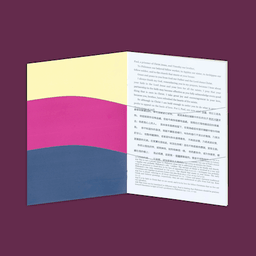 Paper BibleA delightful free generator that turns a chosen Scripture portion into a configurable PDF or folded booklet in hundreds of languages, with presets for reading, study, and notes—but every print project still depends on translation permissions, PDF inspection, and the limits of a remotely generated document.
 Sparks Chinese BibleA rich Chinese-language Bible platform joining many translations, original-language study, courses, media, and community—especially compelling for serious learners who can audit its AI and privacy choices.