
- Starting price
- Free (needs a Filament-enabled print Bible)
- Free tier
- Yes
- Platforms
- iOS · Android
- Developer
- Tyndale House Publishers
- Launched
- 2017
- Updated
- May 31, 2026
Publisher screenshots from the App Store. These images are separate from our own testing.
The verdict
A genuinely clever idea, executed well and given away free: keep reading a clean printed Bible, and when you want help, scan the page to summon a whole study library. The catch is that you need a Filament-enabled Tyndale print Bible to get the magic - but if you have one, this is a delight.
Try Filament Bible ↗Opens tyndale.com
Filament Bible is Tyndale’s answer to a real tension every reader knows: a study Bible with notes crammed under every verse is wonderful for study and terrible for plain reading, while a clean reader’s Bible is lovely to read and gives you nothing when you get stuck. Filament solves it by splitting the two apart. The print Bible stays clean and uncluttered; all the study material lives in a free app you summon only when you want it.
The mechanism is the fun part. You read a paper Filament-enabled Tyndale Bible, and when a passage raises a question, you point your phone or tablet camera at the page. The app recognizes the page number - no QR codes, no dots, no markers - and instantly opens the study content for exactly what you are reading: notes, book introductions, articles on people and topics, devotionals, interactive maps, and videos.
It is free, including the BibleProject videos built in, and it is a smart, modern take on what a study Bible can be. The one thing to understand before you get excited: Filament is designed around Tyndale’s Filament-enabled print Bibles. The app is the digital half of a print-plus-app product, so it shines brightest when you actually own one of those Bibles.
✓ The good
- A clever, genuinely useful idea - keep a clean print Bible and pull up a full study layer only when you want it
- Free, including the bundled BibleProject videos - a real digital study library at no cost
- Camera page-recognition just works - point at the page number and the matching study content opens, no QR codes or markers
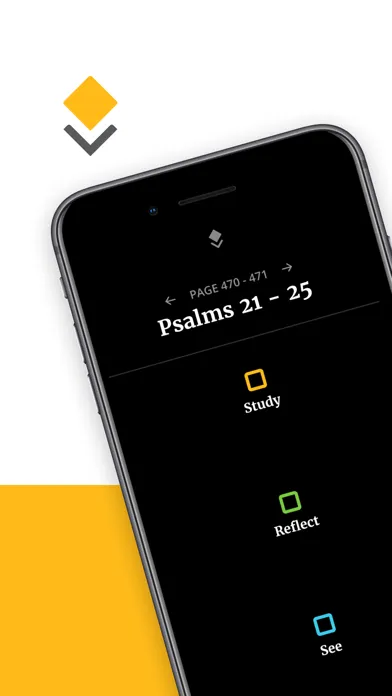
- Three clear modes - Study (notes, intros, people/topic articles), Reflect (devotionals), and See (maps, visuals, videos)
- Keeps the printed page uncluttered - the best of both a reader’s Bible and a study Bible without choosing
- Backed by Tyndale’s deep NLT study catalog, so the notes and articles are substantial, not filler
✗ Watch out
- You need a Filament-enabled Tyndale print Bible to unlock the full experience - the app is half of a print-plus-app product
- Tied to Tyndale’s NLT ecosystem rather than a translation-neutral study tool
- Not a standalone reader you would use without the print Bible in hand
- No original-language tools or deep cross-reference apparatus like a study workstation
- The scan-the-page workflow, while clever, is an extra step compared with tapping a note inline
Best for
- Readers who own (or want) a Filament-enabled Tyndale print Bible
- People who love reading a clean printed Bible but still want study help on demand
- Small-group leaders and teachers who prep from a physical Bible
- Anyone who finds heavily-noted study Bibles too cluttered to read
Avoid if
- You do not have and do not want a Filament-enabled print Bible (the app needs one)
- You read entirely on a phone or tablet and never use a paper Bible
- You want a translation-neutral study app with many versions (use Olive Tree or Logos)
- You need original languages, morphology, and cross-references (use Logos or Accordance)
What Filament Bible is
Filament Bible is a free study app from Tyndale House Publishers that pairs with the company’s Filament-enabled print Bibles. Instead of cramming study notes onto the printed page, Filament keeps the page clean and stores all of the study material digitally. When you want help with a passage, you scan the page number with your device camera and the app opens the content tied to that exact page.
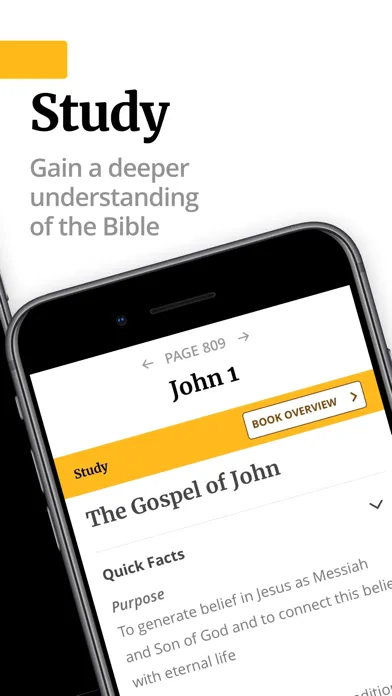
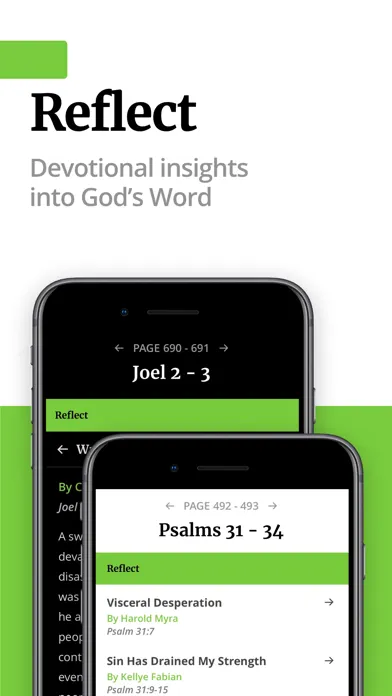
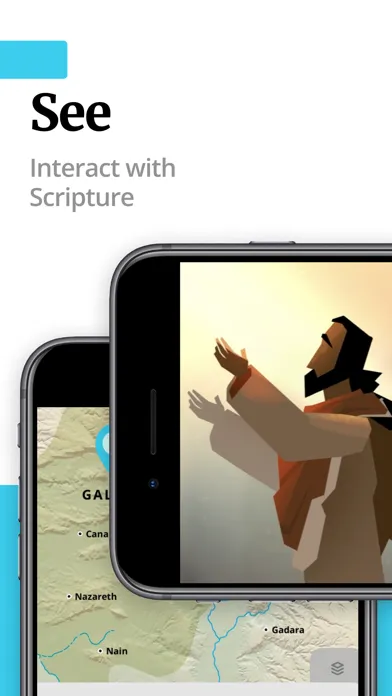
Scanning a page gives you three modes. Study is a digital study Bible - verse and passage notes, detailed book introductions, and articles about key people and topics. Reflect offers devotional content curated from Tyndale’s wider catalog. See is the visual layer: interactive, zoomable maps and videos, including The Bible Project videos, which are included free. It is the digital half of a print-plus-app product, so it is built to be used with a Filament Bible in hand.
Why a clean page plus an app beats a cluttered study Bible
The core insight behind Filament is that a traditional study Bible forces a compromise. To put thousands of notes at your fingertips, it shrinks the Scripture text and buries it under a wall of small print, which makes the one thing a Bible is for - reading - harder and less inviting. Filament refuses the compromise: the printed Bible stays clean, spacious, and a pleasure to read, and the entire study apparatus waits in the app until the moment you actually want it.
That on-demand model changes the rhythm of study. You read normally, undistracted, and only when a question surfaces do you raise your phone, scan the page, and get the note, the map, or the video for exactly that passage. It is the difference between a desk permanently buried in open reference books and a clean desk where the right book appears the instant you reach for it. For readers who love a printed Bible but hate choosing between readability and depth, that is a genuinely better design.
Camera page-recognition: scan the page, get the content
Filament’s signature feature is how it links print to digital. You point your phone or tablet camera at a page of a Filament-enabled Bible, and the app recognizes the page number itself - there are no QR codes, dot patterns, or markers cluttering the page. Within a moment it surfaces the study content tied to exactly what you are reading, so the jump from a verse on paper to its note on screen is nearly frictionless.
This is the piece that makes the whole concept practical. A print-plus-digital idea only works if connecting the two is effortless, and Filament’s clean page-scan is. It preserves everything good about a printed Bible - the readability, the lack of distraction, the feel - while putting a full study library one camera-raise away.
Three modes: Study, Reflect, and See
Scanning a page opens three windows. Study is effectively a digital study Bible: verse-by-verse and passage notes, substantial book introductions, and articles on key people and topics, drawn from Tyndale’s deep study catalog. Reflect shifts from information to formation, offering devotional content curated from Tyndale’s wider library to connect the passage to daily life.
See is the visual layer, and it is where Filament feels most modern: interactive maps you can zoom and tap to explore places in the text, other visuals, and videos - including The Bible Project’s acclaimed explainer videos, bundled in free. Together the three modes cover the spread of what people actually want from a study Bible - explanation, application, and visualization - without a single note touching the printed page.
Free, including the BibleProject video library
The app itself costs nothing, and unusually, the premium-feeling content comes with it. The full study notes, articles, devotionals, and maps are free, and so is the integrated set of BibleProject videos - the kind of high-production explainer content many apps would gate behind a subscription. For a reader who already owns a Filament-enabled Bible, there is no recurring bill to access any of it.
The honest qualifier remains the print dependency: the app is built to be used with a Filament Bible, so the cost of the overall experience is really the cost of the Bible, not the app. But as the digital half of that product, Filament gives away a remarkable amount, and it does not nickel-and-dime you once you are in.
Pricing
Free
Free
The full Filament app and all its study content - notes, book introductions, people and topic articles, devotionals, interactive maps, and BibleProject videos - at no cost, including the video library.
Filament-Enabled Print Bible
Cost of the Bible
The other half of the product: a Tyndale Filament Bible (NLT and other editions) whose pages the app scans. The app is free; the experience assumes you own one of these.
The app is free, and it is generous: all of the study notes, articles, devotionals, maps, and the bundled BibleProject videos are included at no cost. There is no subscription to read your study content.
The real cost of the experience is the print Bible. Filament is designed around Tyndale’s Filament-enabled Bibles - NLT and other editions - whose pages the app scans, and you get the full benefit only when you own one. Those Bibles are sold like any other print Bible, at a range of prices by edition and binding.
So the honest pricing summary is: free app, free content, but you are expected to buy into the print side. If you already own or plan to buy a Filament Bible, everything digital is free; if you do not, the app on its own is of limited use.
Where Filament Bible falls behind
It depends on a print Bible. Filament is the digital half of a print-plus-app product, and without a Filament-enabled Tyndale Bible in hand the app does not do much. That is by design, but it means Filament is not a standalone app you can just download and use anywhere.
It is tied to Tyndale’s NLT ecosystem. The content is excellent but it is Tyndale’s, built around the NLT and Tyndale’s study catalog, rather than a translation-neutral tool that works across the versions you might prefer.
It is not a phone-first reader. If your Bible life happens entirely on a screen, the whole scan-the-page premise is irrelevant - you would be better served by a normal digital study app like Olive Tree or Logos.
Study depth stops short of a workstation. You get strong study-Bible-grade notes, articles, maps, and videos, but not original-language morphology, syntax search, or a stacked commentary library. It is a study Bible reimagined, not a research environment.
The scan step adds friction versus inline notes. Raising your phone and scanning a page is clever, but it is still an extra motion compared with tapping a footnote in a digital study Bible. For some readers that trade - cleaner page, slightly slower lookup - will not be worth it.
Filament vs. a printed study Bible vs. Olive Tree
These three represent three ways to get study help with your Bible, and the right one depends on how you like to read.
A traditional printed study Bible puts every note on the page. It is self-contained and needs no device, but the trade is real: the Scripture text shrinks, the page gets dense, and plain reading suffers under the weight of the apparatus. If you want everything in one physical book and do not mind the clutter, it is the classic choice.
Olive Tree (and digital study apps generally) put everything on a screen: many translations, study Bibles, and commentaries you can buy and stack, with notes a tap away. It is powerful and portable, but it is a fully digital experience - your Bible is your phone, not paper.
Filament is the hybrid. It keeps the clean printed page you love and moves the study apparatus into a free app you summon by scanning. If your ideal is reading real paper with a full study library available on demand, nothing else does quite this - provided you own a Filament-enabled Bible. Many readers happily keep a Filament Bible for devotional reading and a digital app like Olive Tree or Logos for heavier study.
The bottom line
Filament is one of the more imaginative ideas in Bible publishing: separate the clean printed page from the study apparatus, and let a free app reunite them the instant you point a camera at the page. It works smoothly, the content is substantial, and bundling the BibleProject videos for free is a genuine gift. The only real catch is the one built into the concept - you need a Filament-enabled Tyndale print Bible to get the magic, so the app is not much use on its own. But if you love reading a real, uncluttered Bible and wish you could conjure a study Bible only when you needed it, Filament delivers exactly that, and the digital half costs nothing.
Alternatives to Filament Bible
 Olive Tree Bible AppA fully digital study app with a buy-once library of translations, study Bibles, and commentaries. The screen-first alternative when you do not want to depend on a print Bible.
 YouVersionThe free, everything-for-everyone Bible app with every translation, plans, audio, and community. A general phone-first reader rather than a print companion.
 Logos Bible SoftwareThe professional study workstation for deep original-language work and commentaries. Far more depth than Filament, and fully digital.
 ESV BibleCrossway’s clean, ad-free official app with the free Global Study Bible and named-voice audio. A simple single-translation reader-plus-study alternative, no print Bible required.
Frequently asked questions
Is the Filament Bible app free?
Yes. The app and all of its study content - notes, book introductions, articles, devotionals, interactive maps, and the bundled BibleProject videos - are free. The cost in the overall experience is the print Bible: Filament is designed to be used with a Filament-enabled Tyndale Bible whose pages the app scans.
How does Filament work?
You read a Filament-enabled Tyndale print Bible, and when you want study help you point your phone or tablet camera at the page. The app recognizes the page number - no QR codes or markers - and opens the study content for that exact passage in three modes: Study (notes and articles), Reflect (devotionals), and See (maps and videos).
Do I need a special Bible to use Filament?
To get the full experience, yes. Filament is the digital half of a print-plus-app product, built around Tyndale’s Filament-enabled Bibles (NLT and other editions). The app is free, but without one of those Bibles to scan there is little for it to do.
What content do I get when I scan a page?
Three windows: Study gives you verse and passage notes, book introductions, and people and topic articles; Reflect offers devotional content from Tyndale’s catalog; and See provides interactive maps and videos, including The Bible Project’s explainer videos, free.
Which translation does Filament use?
Filament is built around Tyndale’s ecosystem, centered on the New Living Translation (NLT), since it pairs with Tyndale’s Filament-enabled print Bibles. It is not a translation-neutral study app; for many versions side by side, use Olive Tree or Logos.
Can I use Filament without a print Bible?
Not really. The app’s whole design is to scan a Filament-enabled printed page and surface the matching study content, so it is not a standalone reader. If you want a study app you can use entirely on a screen, a digital app like Olive Tree, Logos, or the ESV app is a better fit.
Sources & further reading
More Bible Study Software
 VerseLink BibleVerseLink Bible keeps Scripture, sermon notes, highlights and original-language helps entirely on your device with no account, tracking, ads or subscription—but local-first privacy makes manual backup your responsibility.
 Ezra Bible AppA serious free, open-source study workspace built around topical verse collections, notes and the SWORD module ecosystem, now spanning desktop and mobile—but resource licensing varies, sync depends on Dropbox, and its 2022 privacy template contradicts the current App Store disclosure.
 Rava: Discover God’s StoryA free, multilingual facilitator that lets almost anyone press play and guide a Discovery Bible Study with little preparation—excellent for reproducible group participation, but not a replacement for wise leadership, contextual interpretation or a modern privacy policy.
 ARMA CoursesARMA makes serious Bible and theology teaching approachable through short, energetic courses—valuable for guided learners, but narrower and less transparent than a seminary library.
 Storyverse InstituteStoryverse makes Bible, theology, soul care and ministry training approachable through 200+ videos, community and cohorts—but its age, collection and deletion disclosures conflict too sharply for informed enrollment.
 The Word One to OneA polished, completely free guide for reading John and Acts with a friend—excellent for a trusted conversation, but narrow in scope and incomplete on app privacy and safeguarding.