
- Starting price
- $59.99 one-time (OnSong Pro from ~$3.99/mo)
- Free tier
- No
- Platforms
- iOS · iPadOS · macOS
- Developer
- OnSong, LLC
- Launched
- 2010
- Updated
- May 24, 2026
The verdict
OnSong is the de facto standard for iPad worship leaders for one reason: it does the boring, load-bearing parts of a Sunday morning - chord charts, transpose, set lists, foot-pedal page turns - better than anything else. It’s Apple-only and not cheap, but for the role it serves there’s nothing close.
Try OnSong ↗Opens onsongapp.com
OnSong has quietly become the favorite of worship leaders, music directors, and side-stage acoustic players at churches that long ago retired the three-ring binder. If you’ve been to a midsize church in the last five years and noticed the worship team glancing at iPads on small black stands, the odds are very good those iPads are running OnSong. It is, by a wide margin, the app the role has settled on.
It doesn’t try to be a DAW. It doesn’t try to be a multitrack player. It doesn’t try to be your planning, scheduling, or rehearsal hub. OnSong does one job - get a clean, transposable chord chart in front of a musician and turn the page at the right moment - and it has spent fifteen years sanding down the edges of that job until almost nothing snags.
That focus is the whole pitch. OnSong assumes you already know your songs, that you’ve already picked your set, and that what you actually need on stage is a chart that scrolls itself, a foot pedal that turns the page when your hands are busy, and the ability to bump a song from G to A two minutes before the downbeat because your worship pastor changed her mind. This review covers what OnSong does well, where it costs you, what the Pro subscription actually adds, and how it stacks up against PraiseCharts (the app) and Planning Center Music Stand - the two competitors people genuinely cross-shop it against.
✓ The good
- Best-in-class auto-scroll - speed is per-song, learnable in one rehearsal, and survives last-minute key changes
- Foot-pedal support is the gold standard - AirTurn, PageFlip, and most Bluetooth pedals just work, with deep per-action customization
- Transpose on the fly - tap a key, every chord and capo suggestion updates instantly without re-saving the file
- Set list management that fits how worship teams actually rehearse - drag-to-reorder, key per song, notes per song, share to the whole team
- Presentation mode pushes lyrics-only to a projector or second screen via AirPlay or HDMI without leaving your chart view
- ChordPro import/export - your library is portable, future-proof, and not locked to a proprietary format
- MIDI control - patch changes on your keyboard or guitar processor can fire on song select, which is a quiet superpower for tech-forward teams
✗ Watch out
- iOS, iPadOS, and macOS only - no Android, no Windows, no Chromebook, period
- The one-time price plus the Pro subscription confuses newcomers - what costs $59.99 and what costs $3.99/mo isn’t obvious until you’re in it
- No built-in chord chart library - you import or buy charts elsewhere (PraiseCharts, SongSelect) and bring them in
- Interface has aged - it’s functional and dense, but it doesn’t feel like a 2026 app
- Cloud sync works but isn’t Planning Center-class - teams with five-plus iPads sometimes wrestle with library drift
- Learning curve on the advanced stuff (MIDI, custom pedal mappings, presentation styling) is real - most users use 20% of the app
Best for
- Worship leaders and acoustic players who run their charts from an iPad on stage
- Music directors who build set lists weekly and want the same chart on every player’s tablet
- Solo musicians and singer-songwriters who use a foot pedal to turn pages while playing
- Tech-forward worship teams that want MIDI patch changes tied to song selection
Avoid if
- Your team is on Android, Windows, or Chromebook - OnSong has no version for you
- You want a chart store built in - OnSong is the reader, not the storefront
- Your church already lives inside Planning Center and wants tight scheduling integration
- You want a free app - OnSong is paid, full stop
What OnSong is
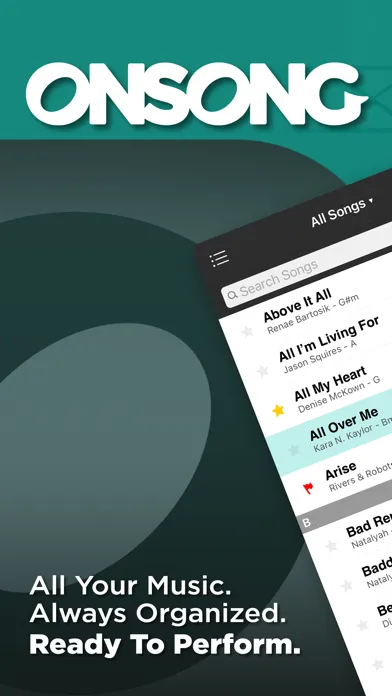
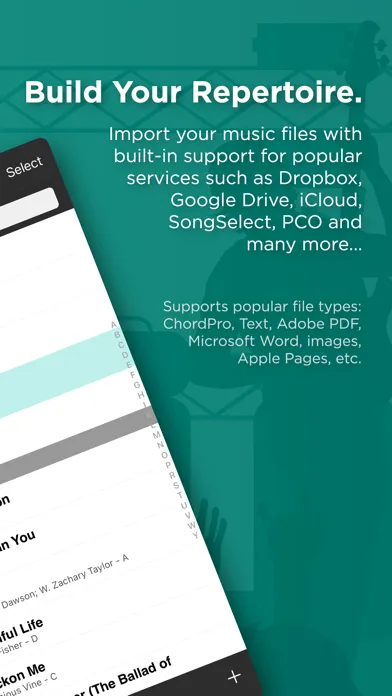
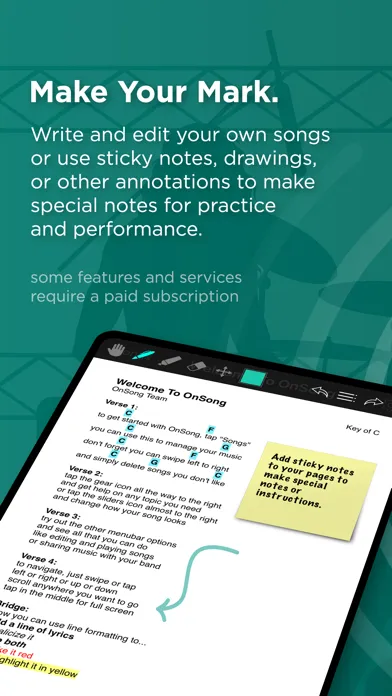
OnSong is a chord-chart and lyric app built specifically for live worship and live performance on iPad, iPhone, and Mac. You import or paste in a song - ChordPro, plain text, PDF, or an image of a chart - and OnSong renders it as a clean, scrollable, transposable chart you can read from a music stand mid-song. The library lives on your device, syncs to your other Apple devices, and can be shared with bandmates running their own copy of the app.
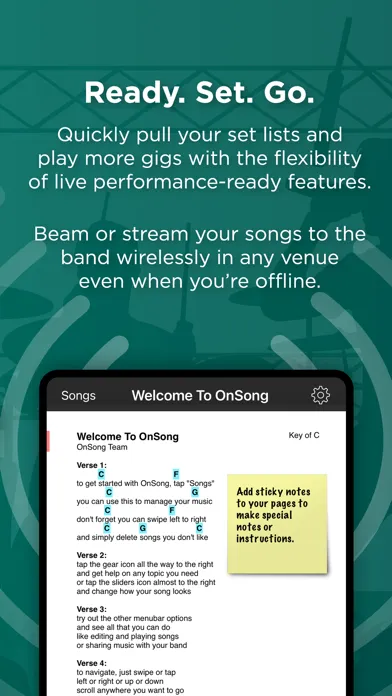
Around that core sits the live-performance toolkit: per-song auto-scroll speed, Bluetooth foot-pedal control for hands-free page turns, on-the-fly key changes, capo recommendations, set list building, and a presentation mode that pushes lyrics-only to a projector or second screen for the congregation. It is, in a sentence, the iPad that replaced the binder.
Why worship leaders prefer OnSong
The single biggest practical difference between OnSong and a PDF reader is that OnSong understands your chart as music, not as an image. Transpose a chart from G to A and every chord updates, the capo recommendation updates, and your set list reflects the new key - without you re-exporting anything. That sounds like a small thing. In practice it’s transformative, because it means a key change in the last five minutes of rehearsal doesn’t require a new printout, a re-export, or a frantic AirDrop to the rest of the band.
The second reason is foot-pedal support. OnSong’s integration with AirTurn, PageFlip, and the broader Bluetooth-pedal ecosystem is mature in a way nothing else in the worship space matches - pedals are recognized instantly, key mappings are deep (scroll, page, set list nav, jump to chorus, toggle presentation), and the whole thing survives an iPad reboot. For an acoustic guitarist or a piano player whose hands are committed for the next four minutes, that pedal is the whole reason the iPad replaced paper.
Live performance: auto-scroll, foot pedal, and AirTurn that actually works
OnSong’s live-performance toolkit is the reason worship leaders pay the sticker price. Auto-scroll is per-song - you set a scroll speed for each chart, save it, and the next time you open that song the chart begins scrolling at exactly the right pace for that arrangement. You can also tap-to-set tempo, pause mid-song, and resume from a foot pedal. Foot-pedal support extends to virtually every popular Bluetooth pedal on the market: AirTurn (BT-200, BT-500, Duo, Quad), PageFlip Butterfly and Firefly, and most generic HID pedals all pair in seconds and survive being put to sleep and woken up between services.
Per-pedal-button mappings are where this gets serious. You can map left pedal to "scroll down," right pedal to "next song," and a long-press to "toggle presentation mode" - and those mappings persist across set lists. For a worship leader running an acoustic set without a tech booth, that means hands stay on the guitar, eyes stay on the congregation, and the next song loads itself when you tap your foot. This is the boring, load-bearing infrastructure of Sunday morning, and OnSong is the app that built it first and kept iterating.
Set list management: the way worship teams actually plan a service
A set list in OnSong is a living, draggable, shareable object - not a static playlist. You build a Sunday service by dragging songs from your library into a new set, set a key per song (even if the source chart is in a different key), add notes ("modulate up at bridge," "drop band, vocal only"), and reorder with a touch. Every song in the set respects its own key, transpose, and auto-scroll settings, so the same chart can live in a 9am acoustic set in G and an 11am full-band set in A without forking the file.
Sharing is where OnSong fits worship workflow: you can export a set list to your bandmates as a shareable bundle, or sync via the cloud so everyone running OnSong on stage sees the same set, in the same order, in the same keys. It doesn’t replace Planning Center for scheduling and people management, but for "here are the seven songs we’re playing Sunday, in this order, in these keys" it is faster than anything else.
Transpose, capo, and presentation mode - the trio that retires the printer
Tap a key in OnSong and the whole chart re-renders instantly: every chord updates, every chord diagram updates if you have them on, and the capo recommendation refreshes based on the key you picked and the capo position you prefer ("show me this in A, but with a capo on 2"). That last bit is what acoustic players love - you can keep your familiar G-shape voicings while the rest of the band plays in A, and OnSong does the math for you in the header of the chart.
Presentation mode is the other half of the trio. With a second screen - projector via HDMI, Apple TV via AirPlay, or even a second iPad - OnSong pushes a lyrics-only view to the congregation while you keep the full chord chart on your stand. Font, background, alignment, and slide breaks are all configurable, and the chart and the projection stay perfectly in sync because they’re the same file. For small churches without a dedicated ProPresenter operator, this is a legitimate replacement for a full lyric-projection rig.
Pricing
OnSong (one-time)
~$59.99
The base app - buy once, own it. Includes the full chart reader, set lists, transpose, auto-scroll, foot-pedal support, presentation mode, ChordPro import, and AirPlay output. This is what most worship leaders actually run.
OnSong Pro (monthly)
~$3.99/mo
Subscription tier on top of the base app. Adds enhanced cloud sync, advanced collaboration features, and ongoing access to Pro-only capabilities the team ships through the year.
OnSong Pro (annual)
~$39.99/yr
Same Pro tier, billed yearly - works out to roughly $3.33/mo. Worth it if you actually use the Pro-only features; skippable if you only need the base reader.
OnSong’s pricing is two-tiered in a way that confuses newcomers. The base app is a one-time purchase - around $59.99 in the App Store - and that gets you the full reader, set lists, transpose, auto-scroll, foot-pedal support, ChordPro import, and presentation mode. For the large majority of worship leaders that one purchase is everything they’ll ever need.
OnSong Pro sits on top as a subscription - roughly $3.99/mo or $39.99/yr - and unlocks enhanced cloud sync, advanced collaboration, and a rolling set of Pro-only features the team ships through the year. If you’re a solo acoustic player or a small team that just wants charts on stage, you can skip it. If you’re a multi-campus music director coordinating five iPads across two services, the cloud-sync upgrade alone usually pays for itself.
Worth saying plainly: there’s no free tier, no trial app, and no Android version. The price of admission is an Apple device plus the one-time purchase. That’s a real friction point compared to free or freemium alternatives, but for the role OnSong fills - chart on a music stand, pedal on the floor - it remains the cheapest thing that actually works.
Most users do not need OnSong Pro. Buy the base app, use it for a month, and only upgrade if you hit a wall on cloud sync or team sharing.
Where OnSong falls behind
No Android, Windows, or Chromebook version. This is the dealbreaker for mixed-device teams, and OnSong has been unapologetically Apple-only for fifteen years. If your bass player runs an Android tablet, OnSong is not your app, and there’s no roadmap suggesting that will change.
No built-in chart store. OnSong reads charts beautifully - it doesn’t sell them. You source charts from PraiseCharts, SongSelect, MultiTracks, or your own ChordPro library and import them in. For solo musicians comfortable with that workflow it’s fine. For a worship leader who wants "search for the song, tap to add to set" in one app, PraiseCharts’ own app is closer to that experience.
Cloud sync is functional, not magical. A small acoustic team with two or three iPads will rarely hit problems. A multi-campus operation running ten devices across five services has, historically, had to spend a Saturday morning sorting out library drift more than once. OnSong Pro improves this, but it’s still not at the "it just works" tier of a fully managed cloud system.
The interface shows its age. OnSong is dense, gray, and unmistakably an app designed in the early iPad era. Everything works, but if you’re coming from a 2026-native app the visual language feels a generation behind. The team has prioritized stability and feature depth over a redesign, which is the right call for live use but a real thing to notice.
Learning curve on the deep features is real. MIDI patch changes, custom pedal mappings, presentation-mode styling, and ChordPro directive editing all reward time spent - and all are nearly invisible to the new user. Most worship leaders use 20% of OnSong and never discover the other 80%. That’s fine, but it means the app is doing less for you than it could.
OnSong vs. PraiseCharts (app) vs. Planning Center Music Stand
These three are the actual options worship leaders cross-shop, and they have genuinely different strengths. OnSong is the reader - the most mature, most pedal-friendly, most performance-tuned chart app on iPad. PraiseCharts the app is the storefront-and-reader - tightly integrated with the PraiseCharts catalog so you can buy a chart and have it on your iPad in under a minute, but its live-performance toolkit (auto-scroll, pedal support, MIDI) isn’t as deep. Planning Center Music Stand is the team-workflow play - if your church already runs Planning Center Services for scheduling, Music Stand pulls your service plan, your assigned songs, and your keys straight from the plan with zero re-entry.
Different strengths. OnSong is better at the actual moment of playing - the foot pedal, the per-song scroll, the on-stage key change, the MIDI patch trigger. PraiseCharts is broader at sourcing (instant access to the catalog, official arrangements, multitrack-matched keys). Music Stand is broader at workflow (every player gets the right chart in the right key because Planning Center already knows the plan, and you don’t have to build a set list twice).
The pragmatic answer most worship leaders land on: use Planning Center for scheduling, buy your charts from PraiseCharts, and read them on stage with OnSong. The three tools don’t fight each other - they each own a layer. If you have to pick one for the iPad on the stand, OnSong is still the one that holds up best on Sunday morning.
The bottom line
OnSong is the iPad worship leader’s standard for a reason - fifteen years of polishing the unglamorous parts of live performance has produced an app that does chord charts, transpose, set lists, and foot-pedal page turns better than anything else. It’s Apple-only, it isn’t free, and the interface won’t win design awards, but for the specific job of getting a clean, transposable chart in front of a musician on Sunday morning - and turning the page when their hands are full - nothing else is close. Buy the base app, skip Pro until you need it, and you’ll never print a chart again.
Alternatives to OnSong
 Planning CenterChurch-wide scheduling, services, and worship planning suite. Music Stand pulls charts directly from the service plan - pair with OnSong or use Music Stand on its own.
 MultiTracksThe industry-standard multitrack and playback platform for worship - stems, click, in-ear mixes, and Playback app. Pairs naturally with OnSong on stage.
 HymnaryThe deepest free database of hymn texts, tunes, and historical metadata online - invaluable if your worship repertoire leans traditional.
 Daily Audio BibleNot a worship app, but the daily-listening companion many worship leaders use to keep scripture intake constant through a heavy rehearsal week.
Frequently asked questions
Is OnSong available on Android?
No. OnSong runs on iPhone, iPad, and Mac only. There is no Android version, no Windows version, and no Chromebook version, and there has been no signal from the developer that one is coming. If your team is on Android, look at apps like SongBook+ or MobileSheetsPro instead.
Do I need OnSong Pro, or is the base app enough?
Most worship leaders are fine with just the base one-time purchase. OnSong Pro (~$3.99/mo or ~$39.99/yr) adds enhanced cloud sync and advanced collaboration features that matter most for multi-iPad teams syncing across campuses or services. Solo musicians and small bands rarely need it.
Does OnSong come with chord charts, or do I have to bring my own?
OnSong is the reader, not the storefront. You import charts from PraiseCharts, SongSelect, MultiTracks, or your own ChordPro/PDF/text files. Once they’re in your library, OnSong handles the transpose, set list, scroll, and pedal control - but you source the songs yourself.
Which foot pedals work with OnSong?
AirTurn’s full lineup (BT-200, BT-500, Duo, Quad), PageFlip Butterfly and Firefly, and most generic Bluetooth HID pedals all pair cleanly. OnSong has some of the deepest pedal-mapping support of any worship app - you can assign actions per button, per long-press, and per set list.
Can OnSong project lyrics for the congregation?
Yes - that’s what presentation mode does. Connect a projector via HDMI or an Apple TV via AirPlay and OnSong pushes a lyrics-only view to the second screen while you keep the chord chart on your iPad. For small churches without a dedicated ProPresenter setup, it’s a legitimate replacement.
How does OnSong compare to Planning Center Music Stand?
OnSong is the better live-performance reader - deeper pedal support, more mature auto-scroll, more flexible transpose. Music Stand is the better team-workflow app because it pulls directly from your Planning Center service plan with zero re-entry. Many churches use both: Planning Center for planning, OnSong on the stand.
Can I transpose a song on the fly during a service?
Yes, and it’s one of OnSong’s headline features. Tap the key indicator, pick a new key, and every chord on the chart updates instantly along with the capo recommendation. Your set list, notes, and auto-scroll settings all carry over - nothing needs to be re-saved or re-exported.
Sources & further reading
More Worship Apps
 AsaphAn ambitious AI workspace for sermon-aligned setlists, song analysis and local feedback—valuable as a planning assistant, risky if its theology scores become a substitute for pastoral judgment.
 Kaleo AIKaleo AI streams church services into live captions and 150+ translated languages, with theology-aware vocabulary and simple fixed plans—but human review and stronger data-governance answers remain essential.
 Nepali Christian Lyrics & ChordsA rare, actively maintained songbook built around the real needs of Nepali-speaking worship teams—but privacy and song-rights documentation lag far behind the app.
 OnStageA modern all-in-one workspace for worship charts, setlists, rehearsals, schedules, chat, and live performance—but conflicting prices and missing legal pages make due diligence essential.
 Unceasing WorshipIHOPKC’s niche streaming service preserves spontaneous prayer-room worship, intercession, live archives, and 76 legacy albums—valuable for listeners who want that exact charismatic worship tradition, but not a general Christian music replacement.MultiTracks.comThe officially licensed stem library and Playback session player behind most touring worship rigs and large-church Sunday mornings - and the closest thing the industry has to a default.