
- Starting price
- $399 one-time or ~$199/yr subscription
- Free tier
- No
- Platforms
- macOS · Windows
- Developer
- Renewed Vision
- Launched
- 2004
- Updated
- May 24, 2026
The verdict
ProPresenter is the industry standard for church worship presentation for a reason - multi-screen output, alpha-key live video, and a lyrics workflow that nothing else matches. Expensive, Mac-leaning, and overkill for a 40-person plant, but the obvious default for everyone else.
Try ProPresenter ↗Opens renewedvision.com
ProPresenter has quietly become - and then loudly stayed - the favorite of every mid-size and large church tech booth in the English-speaking world. Renewed Vision reports it runs in well over 100,000 churches, and if you have ever sat in a Sunday service where the lyrics actually scroll on time, the sermon slides do not freeze when the pastor advances them, and the stage screen shows the speaker their notes without showing the congregation a confidence monitor, you have almost certainly watched ProPresenter run.
It does not try to be a worship planning platform. It does not try to be a song library. It does not try to be your livestream encoder. It is the layer where everything - lyrics, sermon decks, lower thirds, video bumpers, Scripture references, countdowns, IMAG feeds - gets composited and pushed to one or many outputs in real time. The polish shows up in the boring places: how cleanly the next slide previews, how easy it is to drag a song from CCLI SongSelect into a service, how reliably the alpha channel keys live video over a background.
The price tag is real. The Mac bias is real. The learning curve, especially for volunteers cycling through every six months, is real. But for almost any church that runs a contemporary service with band-led worship and slides, ProPresenter is the tool the worship pastor will fight to keep. This is a review of what it actually does on Sunday morning, where it earns its money, and the handful of places it falls short.
✓ The good
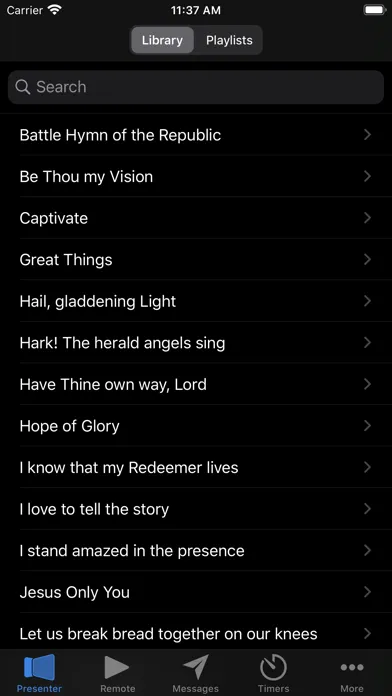
- Industry-standard multi-screen output - main IMAG, stage display, confidence monitor, and lobby screens all driven independently from one machine
- Alpha-key live video is the differentiator - overlay lyrics and graphics on a transparent layer that a video switcher can chroma-key into the broadcast feed
- Lyrics workflow nothing else matches - drag a song from SongSelect or PraiseCharts, auto-arrangement detection, instant transposition, font and template inheritance
- Deep integration ecosystem - direct ties to PraiseCharts, CCLI SongSelect, Planning Center Services, ProPresenter Stream, and the broader Renewed Vision suite
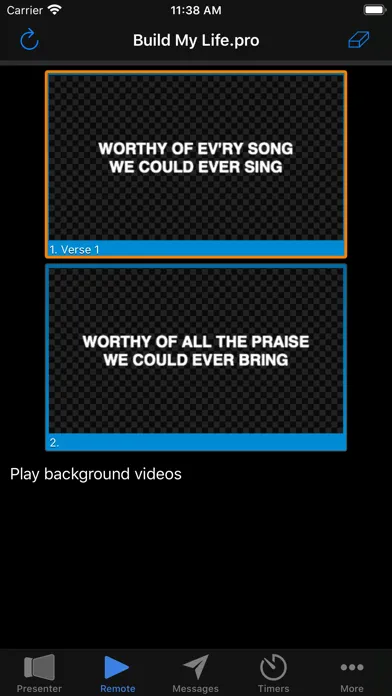
- NDI in and out, MIDI control, OSC, and ProPresenter Remote on iPad make it usable in everything from a one-laptop volunteer booth to a multi-operator production environment
- Service files are portable - build a service on one machine, hand it off to a volunteer on another, and it just opens
- Renewed Vision keeps shipping - version 7 has had years of point releases adding video engine, masking, lower-third, and stage-display improvements
✗ Watch out
- Genuinely expensive for small churches - the standalone license plus stage display add-ons can put a first-time budget over $500 before you have output a slide
- Mac-first culture - most documentation, third-party templates, and YouTube tutorials assume macOS even though the Windows build is fully supported
- Steep onboarding for rotating volunteers - the concept of templates, masters, props, and looks is powerful but takes real training time
- No native cloud sync between machines - Planning Center helps, but moving a service between booth and remote prep still relies on file copy
- Subscription model is divisive - the move to ~$199/yr ProPresenter+ ended the perpetual-license era many churches were used to (yet a perpetual option still exists)
- Stage display features locked behind add-ons or higher tiers can feel nickel-and-dimed once you have already paid for the base license
Best for
- Mid-size and large churches running multi-screen Sunday services
- Worship pastors who want SongSelect and PraiseCharts arrangements to flow straight into Sunday slides
- Production teams running IMAG with live-key lyrics on broadcast
- Multi-site or campus churches handing service files between locations
Avoid if
- Your church plant has one screen, one laptop, and no production volunteer
- You only need basic lyric slides on a single TV and PowerPoint already works
- Your budget is under $200 for the whole presentation stack
- You exclusively run on iPad or Chromebook hardware - ProPresenter is desktop-only
What ProPresenter is
ProPresenter is the desktop presentation engine that drives the screens at a church worship service. It is built specifically for the live, unpredictable, volunteer-staffed environment of Sunday morning - where the worship leader skips a verse, the pastor jumps three slides ahead, the band repeats a bridge twice, and the lobby screen still needs to show the countdown to the next service. Renewed Vision has been refining it since 2004, and the current generation - version 7, with continuous point releases - is the version running in most churches today.
Mechanically, it is a slide and media presenter with two unusual instincts. First, it assumes you will have more than one output (main screen, stage display, lobby, broadcast feed) and treats them as first-class. Second, it assumes you will be reacting to a human in real time, not running a fixed deck, so almost every choice - from arrangement order to font template to background loop - is designed to be changed mid-service without breaking what is on screen.
Why worship and production teams keep choosing ProPresenter
The reason ProPresenter has held the church market for two decades is not any single feature - it is that the workflow of a Sunday service has been baked into the software at the conceptual level. Songs are not slide decks; they are arrangements with verses, choruses, bridges, and tags that can be reordered live. Sermon slides inherit from templates so the pastor's changes on Saturday night do not break the look the design team set on Wednesday. Stage displays and confidence monitors show different content than the audience sees, by default, without configuration gymnastics.
The other half is the production-grade output side. ProPresenter speaks NDI, supports alpha-channel video output for downstream chroma-keying, accepts MIDI and OSC for hardware control, and integrates with Planning Center Services so the order of service the worship pastor built on Tuesday becomes the playback list at the booth on Sunday. That combination - a song-aware lyric tool on the front end and a real broadcast tool on the back end - is what nothing else in the church market fully replicates.
Multi-screen output and alpha-key live video: the production differentiator
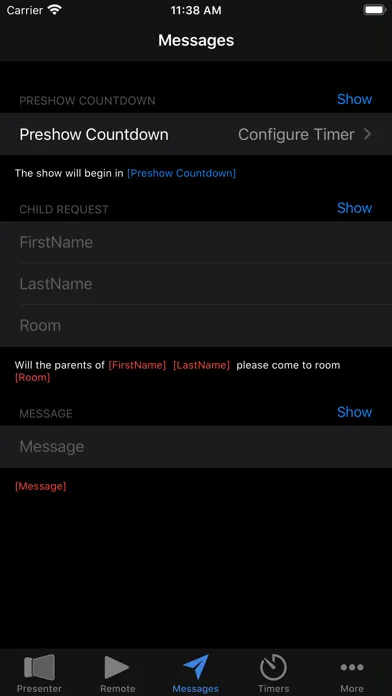
ProPresenter treats outputs as composable layers. From a single machine, the operator can drive a main IMAG screen with full-frame lyrics over motion backgrounds, a stage display showing the worship leader the current verse and next chord chart, a confidence monitor with sermon notes for the pastor, and a lobby screen running the next-service countdown - each as a distinct output with its own template, masking, and content. Outputs can run over HDMI, DisplayPort, NDI, or - with the right add-on - directly into a streaming pipeline.
The piece that genuinely separates ProPresenter from every consumer presentation tool is alpha-channel output. Lyrics and lower thirds render against a transparent background that a downstream video switcher (an ATEM, a Tricaster, an Allen and Heath, anything with a key input) can chroma-key on top of the IMAG camera feed. This is how modern broadcast churches put real-time lyrics over the live shot of the worship leader without the slides ever appearing on the in-room screens. PowerPoint cannot do this. Keynote cannot do this. EasyWorship can technically do this on Windows, but the workflow assumes you are already in a live-production headspace - ProPresenter assumes it from frame one.
Lyric and slide workflow: the everyday-Sunday killer feature
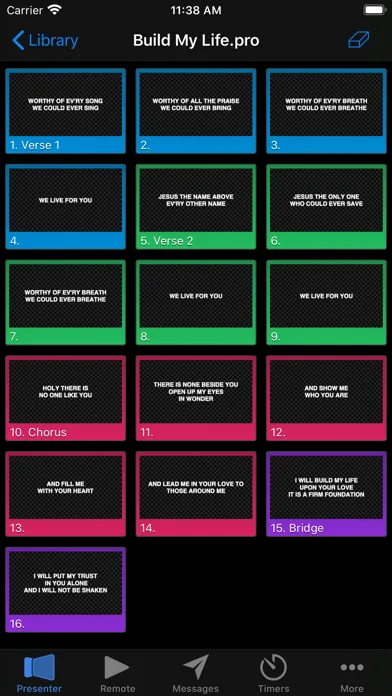
The lyrics workflow is where a worship director quietly decides whether they are switching presentation software, and ProPresenter wins this one consistently. Songs are stored as arrangements - verse 1, chorus, verse 2, chorus, bridge, chorus, tag - and the order can be rebuilt live by dragging slide groups. Pulling a new song in from CCLI SongSelect or PraiseCharts is a search-and-import, not a copy-paste. Templates control the font, drop shadow, motion background, and safe-area margins so every song looks like it belongs to the same service even when six different volunteers built the slides.
The reason this matters on Sunday is that worship is unpredictable on purpose. The leader calls a third chorus. The band drops to a quiet bridge. The pastor wants to land on a specific lyric and pray off it. ProPresenter is designed for those moments - the operator can jump arrangements, hold a slide, fire a different background, or pull up an emergency Scripture reference without touching the master service file. For volunteer-staffed booths, that resilience is the difference between a smooth service and a visible mistake.
Integration ecosystem: PraiseCharts, SongSelect, and Planning Center
ProPresenter sits at the intersection of the three platforms most modern worship teams already pay for. CCLI SongSelect is wired in for licensed song lyrics and chord charts - search, import, and the CCLI reporting metadata travels with the slide. PraiseCharts ties in for full arrangements, including the orchestrations and rhythm charts most contemporary churches use, so the slides on screen and the charts on the music stand stay in sync. Planning Center Services integration imports the worship pastor's order of service directly - songs, transitions, media items, and timings flow into the ProPresenter playlist without rebuilding it.
For a worship pastor who already runs the Tuesday rehearsal in Planning Center, pulls charts from PraiseCharts, and reports usage to CCLI, this integration layer is what turns ProPresenter from a slide tool into the live execution of the entire weekly worship workflow. None of the alternatives match the depth here. EasyWorship integrates with SongSelect but has thinner Planning Center support. Faithlife Proclaim is tightly bound to the Faithlife ecosystem instead. Native presentation tools (PowerPoint, Keynote) have no church-industry integrations at all.
Pricing
ProPresenter Standalone
$399 one-time
Perpetual license for the current major version on Mac or Windows. Single-machine activation with the option to add additional machine licenses at a reduced rate. The model most established church techs still prefer when they can get budget approval.
ProPresenter+ Subscription
around $199/yr
Annual subscription that bundles the latest version, ongoing updates, and access to Renewed Vision content. The path most churches now take for predictable budget lines and to avoid skipping a paid upgrade cycle.
Campus / Multi-machine
volume pricing
Discounted seat pricing for additional machines on the same campus or across a multi-site organization. Handled through Renewed Vision sales rather than the web cart.
Add-ons
varies
ProPresenter Stream (streaming output), Stadium (large-scale multi-machine sync), and various content packs are sold separately as needed.
ProPresenter pricing is a topic worship pastors argue about in Facebook groups every week, so it is worth being clear. The two main paths are a one-time $399 perpetual license for the current version on a single Mac or Windows machine, or a roughly $199 per year ProPresenter+ subscription that keeps the software current and bundles additional content access. Most established churches still run perpetual licenses; most newer installs go with the subscription.
The honest math is that subscription pays off if you would have upgraded across major versions anyway - historically Renewed Vision has charged paid upgrades for major version jumps, and skipping one is risky because feature files and integrations move forward. For a church that intends to stay current, the subscription is the cheaper long-term path. For a church that bought the current version and intends to ride it for five years, the perpetual license still wins.
Beyond the base license, additional machine seats (campus pricing), the Stream add-on for direct streaming output, and large-scale Stadium multi-machine sync are all separately priced. Most churches do not need them - a single ProPresenter+ license drives a fully production-grade Sunday service for a few hundred dollars a year. The add-ons are there if the production environment scales past it.
Compared to the all-in cost of a real production stack - a switcher, cameras, lights, monitors, IMAG screens - ProPresenter is one of the cheapest line items. The reason it feels expensive is that it is being compared to PowerPoint, which is a category mismatch.
Where ProPresenter falls behind
No native cross-machine cloud sync. Planning Center handles the order-of-service handoff well, but moving an entire ProPresenter service file - with custom templates, embedded media, and slide arrangements - between the prep machine and the Sunday booth still relies on file copy, AirDrop, or an external sync tool. Renewed Vision has been gradually closing this gap, but a true real-time multi-machine project sync is not there yet.
Steep learning curve for rotating volunteers. The conceptual model - masters, templates, props, looks, arrangements, playlists - is genuinely powerful, but it is also genuinely a lot. Churches that rotate their booth volunteers monthly will spend real time training each cycle, and most settle into a "one person knows ProPresenter and trains everyone else" pattern that creates a single-point-of-failure for the production team.
Mac-bias in the community and documentation. The Windows build is fully featured and fully supported, but most of the third-party templates, YouTube tutorials, and church-tech-podcast walkthroughs assume a Mac is on the booth desk. Windows-only churches end up doing more translation than they should have to.
No native first-party stage-display app on every mobile platform. Stage display can be driven to a second monitor, an iPad, or another machine, but the experience varies, and competing products bundle their own dedicated stage-display tools with less configuration overhead.
Subscription cost adds up across a multi-site organization. A 10-campus church paying ProPresenter+ on every booth machine is paying real money every year, and there is no formal nonprofit or denominational discount comparable to what some other church-software vendors offer (yet).
ProPresenter vs. EasyWorship vs. Faithlife Proclaim
These are the three serious contenders, and they sit at different points on the price-vs-power line. ProPresenter is the production-grade default - Mac and Windows, expensive, deepest integration with the live worship workflow, and the obvious choice for any church running multi-screen IMAG or alpha-key broadcast. EasyWorship is Windows-only, materially cheaper (a one-time license well under ProPresenter's price), and the standard pick for small and mid-size churches that want a serious lyric tool without the ProPresenter learning curve. Faithlife Proclaim is the cloud-native option from the Logos team - Mac and Windows, subscription-based, tightly bound to Faithlife's ecosystem, with strong multi-user collaboration because everything lives in the cloud.
Different strengths. ProPresenter is better at live production - multi-screen, alpha output, NDI, MIDI, the ecosystem integrations. EasyWorship is better at being inexpensive and approachable for a smaller volunteer team. Proclaim is better at letting multiple people on different machines collaborate on a service in real time and at staying in sync without manual file transfer.
The practical answer for most churches: if you have an IMAG feed, a broadcast, or more than two screens on stage, ProPresenter pays for itself in a quarter. If you are a 200-seat church with one screen and a volunteer booth, EasyWorship will do the job for much less. If your team is already inside the Faithlife / Logos world and wants cloud-first collaboration, Proclaim is the natural fit.
The bottom line
ProPresenter is the right call for the church it is built for - mid-size and large congregations running contemporary worship with multi-screen output, IMAG, and a production team that needs the lyrics tool, the slide engine, and the broadcast layer to be one piece of software. It is genuinely expensive, the learning curve is real, and a small church plant with one screen will be happier (and several hundred dollars richer) with EasyWorship or even PowerPoint. But for everyone else running modern services with bands, broadcast, and Planning Center, ProPresenter is the obvious default - and the reason your worship pastor will not switch even when accounting asks them to. Real gaps, but they are worth knowing about going in rather than dealbreakers.
Alternatives to ProPresenter
 Hope TranslatorA live sermon caption and AI translation service that can deliver multilingual text or synthetic speech to audience phones.
 EasyWorshipWindows-only worship presentation at roughly half the price. The standard pick for small and mid-size churches that want a serious lyric tool without the ProPresenter learning curve.
 Faithlife ProclaimCloud-native church presentation from the Logos / Faithlife team. Strong real-time collaboration across machines, tighter ties to the Faithlife ecosystem, subscription-based.
 MultiTracksNot a presenter - the dominant backing-tracks and click-track platform for worship bands. Pairs with ProPresenter on most modern church stages rather than replacing it.
 Planning CenterThe worship planning, scheduling, and order-of-service tool that feeds straight into ProPresenter. Most churches running ProPresenter also run Planning Center upstream of it.
 StreamYardA browser-first live studio for remote guests, branded interviews, multistreaming, recordings, and webinars, with quote-based organization pricing.
Frequently asked questions
Is ProPresenter worth the price for a small church?
Honestly, often not. If you have one screen, a volunteer booth, and a tight budget, EasyWorship or even well-built PowerPoint slides will run a clean service for much less. ProPresenter earns its price tag once you have multi-screen output, IMAG, a broadcast feed, or a production team that needs the lyrics workflow to be production-grade. Mid-size and larger churches almost always come out ahead.
Does ProPresenter run on Windows or just Mac?
Both. The Windows build is fully featured and supported. That said, the community, documentation, and tutorial content lean heavily Mac, so Windows-only churches sometimes do a bit more translation. Functionally, you are not missing features.
Should I buy the perpetual license or the ProPresenter+ subscription?
If you intend to stay current across major version upgrades, the roughly $199 per year ProPresenter+ subscription is usually the cheaper long-term path because it bundles updates that would otherwise be paid upgrades. If you plan to buy once and ride a single version for several years, the perpetual license still wins on raw math.
Does ProPresenter integrate with Planning Center?
Yes - directly. A service built in Planning Center Services can be imported into ProPresenter with the order of songs, media items, and arrangement notes intact. This is one of the biggest reasons worship pastors who already run Planning Center stay with ProPresenter on the booth.
Can ProPresenter import songs from CCLI SongSelect and PraiseCharts?
Yes. Both are first-party integrations. SongSelect handles licensed lyric and chord-chart import with CCLI reporting metadata attached. PraiseCharts pulls full arrangements so the slides on screen and the charts on the music stand stay aligned.
What is alpha-key output and why does it matter?
Alpha-key (or alpha-channel) output is a video signal where the background is transparent. A downstream video switcher can chroma-key ProPresenter's lyrics and lower-thirds directly on top of the live IMAG camera feed for the broadcast, without those graphics showing on the in-room screens. It is the standard technique modern broadcast churches use to put real-time lyrics over the live shot, and it is the single biggest feature separating ProPresenter from consumer presentation tools.
Do I need ProPresenter Stream or any add-ons to use it on Sunday?
No. A single ProPresenter+ license or standalone license drives a full Sunday service - multi-screen output, stage display, lyrics, sermon slides, video playback, and the Planning Center / SongSelect / PraiseCharts integrations. Stream, Stadium, and content packs are optional add-ons for streaming output and large-scale multi-machine production, not requirements for a normal church setup.
Sources & further reading
More Worship Apps
 AsaphAn ambitious AI workspace for sermon-aligned setlists, song analysis and local feedback—valuable as a planning assistant, risky if its theology scores become a substitute for pastoral judgment.
 Kaleo AIKaleo AI streams church services into live captions and 150+ translated languages, with theology-aware vocabulary and simple fixed plans—but human review and stronger data-governance answers remain essential.
 Nepali Christian Lyrics & ChordsA rare, actively maintained songbook built around the real needs of Nepali-speaking worship teams—but privacy and song-rights documentation lag far behind the app.
 OnStageA modern all-in-one workspace for worship charts, setlists, rehearsals, schedules, chat, and live performance—but conflicting prices and missing legal pages make due diligence essential.
 Unceasing WorshipIHOPKC’s niche streaming service preserves spontaneous prayer-room worship, intercession, live archives, and 76 legacy albums—valuable for listeners who want that exact charismatic worship tradition, but not a general Christian music replacement.MultiTracks.comThe officially licensed stem library and Playback session player behind most touring worship rigs and large-church Sunday mornings - and the closest thing the industry has to a default.